Why Password Managers Are Still the Best Security Upgrade You Haven’t Made

Lena Kowalski
March 1, 2026

You’ve heard it before: use a password manager. Strong, unique passwords for every account. No more reusing “Password123″ across fifty sites. And yet millions of people still don’t use one. The excuses are familiar—”it’s too complicated,” “what if the manager gets hacked,” “I’ll do it later.” The reality: a password manager is still the single highest-impact security upgrade most people can make. Here’s why it matters in 2026—and how to actually get started.
Why Passwords Are Broken
Passwords are a terrible authentication mechanism. Humans can’t remember dozens of strong, unique passwords. So we reuse them, simplify them, write them down. The result: when one site gets breached—and they do, constantly—attackers try those credentials everywhere else. Credential stuffing attacks succeed because people use the same password across email, banking, and random forums. A single breach can unlock your entire digital life.
Strong, unique passwords solve that. But memorizing fifty 20-character random strings is impossible. A password manager does the work: it generates strong passwords, stores them securely, and fills them in when you need them. You remember one master password—or use a hardware key—and the manager handles the rest. The trade-off: you’re trusting the manager with your credentials. But a well-designed manager encrypts everything client-side. Even if the company gets hacked, your vault is protected by your master password. The risk is far lower than reusing passwords across the internet.
The “what if the manager gets hacked” worry is understandable but often misplaced. A breach of a password manager company doesn’t automatically expose your vault—your data is encrypted with a key derived from your master password, which the company never sees. The real risk is a vulnerability in the client software or a phishing attack that steals your master password. That’s why using a strong master password and enabling 2FA on the manager itself is critical. Defense in depth.
What to Look For
Not all password managers are equal. Look for one that encrypts locally—your master password never leaves your device. Bitwarden, 1Password, and KeePass all follow that model. Avoid managers that store your master password on their servers or use weak encryption. Check for a solid audit history—third-party security reviews—and a track record of transparency when issues arise. Open-source options like Bitwarden and KeePass let you verify the code yourself, though most people won’t. The point is the option exists.
Usability matters. If the manager is annoying to use, you’ll stop using it. Auto-fill, browser extensions, and mobile apps should work smoothly. Some managers offer family or team plans—useful if you share accounts with a partner or household. Two-factor backup—a recovery key or secondary method—is essential. If you forget your master password and have no recovery option, you’ve lost everything. Set up recovery before you need it.
Making the Switch
Migrating to a password manager takes a weekend. Export your existing passwords from your browser—Chrome, Firefox, and Safari all support this—and import them into the manager. Then go through your important accounts—email, banking, work—and change those passwords to strong, unique ones. The manager will generate them. You don’t have to remember a single character.
The hardest part is breaking old habits. For the first few weeks, you’ll reach for the old muscle memory of typing a password. Stick with it. Once the manager is integrated into your workflow—browser extension, mobile app, auto-fill—it becomes invisible. You click, it fills, you’re in. The security upgrade happens in the background.
Beyond Passwords
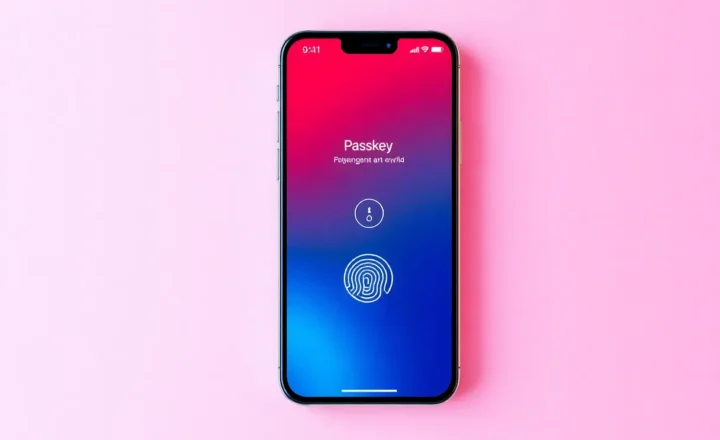
Modern password managers do more than passwords. They store secure notes, credit card details, and two-factor codes. Some integrate with passkeys—the emerging passwordless standard—so you can move toward a future where passwords matter less. Passkeys aren’t everywhere yet, but they’re growing. A good password manager will support both during the transition.
Passwords aren’t going away soon. Passkeys are gaining traction—WebAuthn, FIDO2, the whole passwordless push—but adoption is uneven. Banks, government sites, and legacy systems will lag for years. Until they catch up, a password manager is the best defense most people have. It’s simple, proven, and effective.
If you haven’t made the switch, it’s worth a weekend. Pick a manager, import your passwords, change the critical ones, and set up recovery. Your future self will thank you—especially when the next breach hits and you’re not one of the people scrambling to change fifty accounts at once. In 2026, it’s still the best security upgrade you haven’t made.