The Case for a Second Router: When Mesh Isn’t Enough

Halima Okafor
February 25, 2026
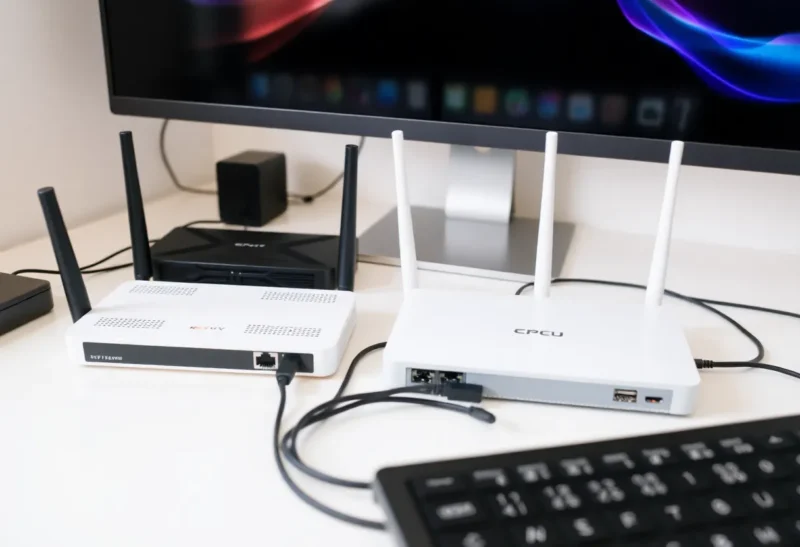
Mesh Wi‑Fi promised to fix everything: one brand, one app, seamless coverage. For a lot of homes it works. But if you’ve got a big house, thick walls, or a mix of work-from-home and streaming and smart devices, you’ve probably hit the point where adding another mesh node doesn’t really help. Sometimes the answer isn’t more of the same—it’s a second router doing a different job.
Why Mesh Hits a Wall
Mesh systems work by daisy-chaining nodes that talk to each other wirelessly. That’s great for coverage, but every hop adds latency and shares the same backhaul. When you have three or four nodes, the one in the back bedroom might be two or three wireless hops from the gateway. Video calls, gaming, and real-time work suffer. Mesh also tends to assume one big happy network. It doesn’t give you an easy way to isolate smart home traffic, put guests on a separate VLAN, or run a wired backbone to a few key spots and let Wi‑Fi handle only the last meter.
Manufacturers don’t always spell this out. Marketing focuses on bars and square footage. The real limits are radio time, backhaul capacity, and how many devices are fighting for the same channel. A second router, especially one with a wired connection back to the main gateway, sidesteps those limits for whatever you connect to it.
If you’ve already upgraded to a decent mesh system and you’re still seeing dropouts, congestion, or weird latency spikes, the issue often isn’t signal strength—it’s topology. You’re asking one wireless network to do too much. A second router can change that equation.

What a Second Router Actually Gives You
A second router doesn’t have to replace your mesh. It can sit behind it—or beside it—and take over specific jobs. Run a cable from your main gateway to a room that matters (home office, living room, garage). Plug in a second router there, set it up in access-point mode so it doesn’t do NAT, and you’ve got a wired backhaul for that part of the house. If that AP is OpenWrt and roaming drops the IoT VLAN, that next fight is dumb APs versus mesh nodes. Devices in that zone connect to the second router over Wi‑Fi or Ethernet; their traffic goes back over the cable. No wireless hops, no mesh protocol overhead. You’ve effectively created a small, fast subnet where it matters most.
You can also use the second router as a dedicated network for one purpose. Put all your smart home gear on it, with a different SSID and maybe a different VLAN. That keeps IoT traffic off the same air as your work and video calls. Or use it as a guest network with its own SSID and password, so visitors never touch your main LAN. A lot of mesh systems offer “guest” as a toggle, but a second router gives you real isolation and control—firewall rules, bandwidth limits, or a simple way to kill the guest network when nobody’s over.
Wired Backhaul Is Still the King
The best way to make Wi‑Fi better is to shorten the wireless path. If you can run one Ethernet cable from your modem or main router to a central location—attic, basement, or a closet—you can put a second router or access point there and cover a whole zone with a single hop. That’s how offices and serious homes do it. Mesh is a workaround when you can’t run cable; if you can run even one cable, a second router at the other end will often outperform a mesh node in the same spot.
You don’t need enterprise gear. A used or budget wired router that supports access-point mode is enough. Turn off its DHCP server, give it a static IP on your main subnet, and plug the cable from the main router into a LAN port (not the WAN port). Now you have a second broadcast point with a wired backbone. Your main router—or mesh gateway—still does DHCP and routing; the second device is just a bridge. It’s simple, reliable, and easy to debug.
Choosing the Right Second Router
You don’t need to match your main router’s brand or spend a lot. Look for something that supports AP (access point) mode, has gigabit Ethernet ports, and preferably Wi‑Fi 5 or 6 so it doesn’t become the bottleneck. Older business-class routers often show up used for very little and do this job well. If you want something new and simple, a dedicated access point from Ubiquiti, TP-Link’s Omada line, or similar gives you a clean install without extra routing features you won’t use. The goal is a stable wired backhaul and a clean broadcast in one zone—not a second full router fighting with the first for control.
When It’s Worth the Hassle
If you’re happy with your mesh and everything works, don’t add a second router for the sake of it. But if you’re working from home and dropouts during calls are costing you, or you’ve got a dead zone that another mesh node doesn’t fix, or you want to separate IoT or guest traffic properly, a second router is a cheap and effective next step. It doesn’t have to be mesh-versus-router. Often the best setup is mesh for general coverage and a second router—or a wired access point—for the places and traffic that need to be rock solid.
Setting it up takes an hour or two: run the cable, configure the second device in AP mode, and maybe adjust channel settings so it doesn’t overlap with your mesh. After that, it’s set-and-forget. When mesh isn’t enough, a second router is the move that actually fixes the problem instead of adding another node to the same overloaded chain.