Semiconductor “Node” Marketing vs What Your Laptop Actually Needs

Silvia Rojas
April 8, 2026
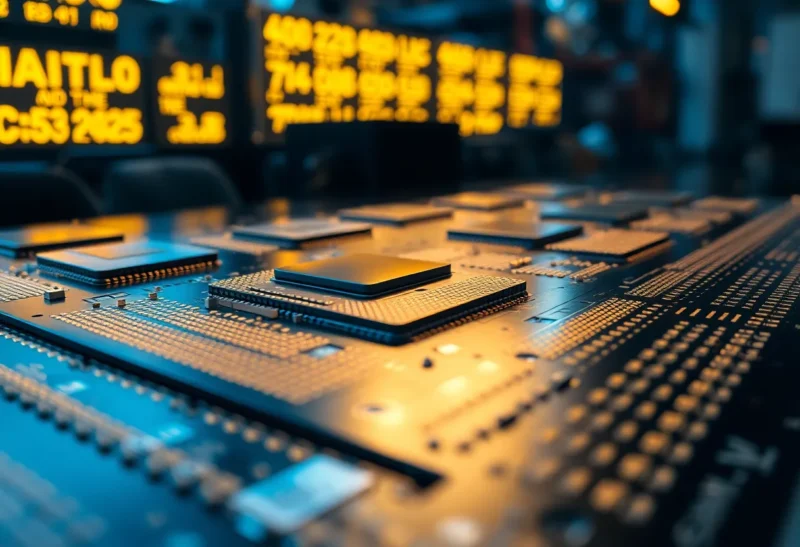
Walk past a laptop display at retail and you will see stickers and spec cards shouting “3 nm,” “4 nm,” “Intel 4,” or “TSMC N3.” To someone buying a machine for work, school, or creative projects, those numbers sound like precision engineering: smaller must mean faster, cooler, and more futuristic. In practice, “node” labels are as much branding as physics. They correlate loosely with transistor density and power efficiency, but they do not line up on a single ruler across companies—and they rarely tell you, by themselves, whether your next laptop will feel snappy under your actual workload.
This article unpacks what semiconductor nodes actually refer to, why vendors name them the way they do, and which factors—thermals, memory bandwidth, integrated graphics, and software—matter more than the nanometer sticker beside the keyboard.
What a process “node” is supposed to mean
Historically, the node name tracked the smallest feature size on a chip—the length of a transistor gate, measured in nanometers. As manufacturing grew more complex, that one-dimensional number stopped describing the whole picture. Modern chips stack FinFETs or nanosheet gates, use multiple patterning steps, and pack SRAM, logic, and analog blocks that do not shrink at the same rate.
Foundries like TSMC and Samsung publish “N3,” “N4,” “N5” style families; Intel rebranded toward “Intel 4,” “Intel 3,” and “20A” to align with external expectations while still reflecting internal milestones. The result is a landscape where “3 nm” from one vendor is not directly comparable to “3 nm” from another—think of it as a product generation label, not a caliper measurement you can verify with a ruler.

That does not mean progress is fake. Newer nodes generally bring better transistor performance per watt and more transistors per square millimeter of silicon—when yields are good. But the headline number is a shorthand for a bundle of design rules, libraries, and interconnect stacks that together determine whether a chip meets its power budget.
Why your laptop cares about efficiency first
Laptops are thermally constrained. A processor that can sprint on paper may still throttle in a thin chassis after a few minutes of sustained load. Process improvements help, but so does architecture: how cores are arranged, how aggressively the CPU boosts, and how the system integrates with the laptop’s power delivery and cooling.
This is why two laptops with the same “generation” chip can feel different. One might have a vapor chamber and tuned firmware; another might share the same silicon in a fanless chassis that clamps power limits tightly. The node name on the die does not appear on the box when you are waiting for an export to finish—it is the sustained clock speed and wattage you actually get.
What the sticker does not say: memory and I/O
Many everyday tasks are memory-bound or cache-bound long before they hit the theoretical limit of the smallest transistors. Integrated graphics, browser tab sprawl, large spreadsheets, and light video editing all stress memory bandwidth and latency. A cutting-edge CPU paired with single-channel RAM or a slow storage tier can feel sluggish even when the silicon is “cutting edge.”

Likewise, Thunderbolt, USB4, Wi-Fi, and display outputs depend on controllers and board layout—not just the CPU. A buyer who fixates on nanometers while ignoring RAM configuration, SSD class, and display resolution may misallocate budget toward the wrong bottleneck.
Integrated graphics and the “same node” story
Mobile processors often combine CPU cores and an integrated GPU on one package. The process node affects both, but the GPU architecture and how much power the system allows for graphics matter enormously for casual gaming, video encode, and creative apps. Two chips etched at similar nodes can diverge dramatically in graphics performance if one dedicates more silicon area to the GPU and the other prioritizes CPU throughput.
This is why cross-shopping by node alone is risky. A slightly “larger” node with a better GPU block and faster memory can outperform a “smaller” node on real-world tasks that lean on graphics or parallel compute.
The end of simple scaling—and why “smaller” stopped meaning “automatically faster”
For decades, shrinking transistors followed a comforting pattern: more density, lower voltage, higher clocks—often called Dennard scaling. As leakage and interconnect delay grew, that free lunch ended. Designers traded some gains for more cores, wider SIMD units, and smarter power gating instead of endlessly chasing GHz. Today, a new node might improve efficiency per transistor, but peak clocks do not automatically climb the way they did in the 2000s.
That shift matters for laptops. You are not buying a “smaller nm” for its own sake; you are buying a package of design decisions that balance burst speed, sustained wattage, and idle power. Two vendors can use the same foundry node and still produce chips with radically different performance because the microarchitecture—not the lithography label—determines how work gets done.
Chiplets, packaging, and the parts the sticker ignores
Modern CPUs are often not one monolithic slab. Chiplets separate compute cores from I/O dies or stack memory nearby. The “node” might apply to the logic tile but not to the I/O hub, or different tiles might use different processes tuned for cost. Marketing still tends to spotlight the most advanced slice, which can exaggerate how “leading edge” the whole product is.
For a laptop buyer, the practical question is whether the package integrates cleanly: latency between chiplets, power routing, and whether the cooling solution can handle hot spots when one tile works harder than another. Reviews that show thermal imaging or power draw per package tell you more than a single nanometer figure.
EUV, complexity, and why delays ripple to shelves
Cutting-edge nodes lean on extreme ultraviolet lithography and multi-patterning flows that are finicky. When a foundry hits yield issues, product roadmaps slip—and laptops ship with slightly older silicon at a given price point. Those delays rarely make headlines beside the initial “3 nm” announcement, but they explain why mid-cycle refreshes sometimes bring bigger real-world gains than the first launch of a new nameplate.
Yield, cost, and why flagship nodes show up where they do
New nodes are expensive to ramp. Foundries tune yields over time; early customers pay premiums. Laptop chips often lag phone SoCs in adopting the absolute latest node because laptop volumes, die sizes, and thermal envelopes differ. You might see a flagship phone on a bleeding-edge node while mainstream laptops ship on a mature node that offers better cost and reliability.
That maturity story is not a downgrade for consumers. A well-tested “N5” or “N6” class process in a laptop SoC can deliver stable performance and predictable thermals—often more valuable than bragging rights about the first wave of a new node.
Apple Silicon, x86, and ARM: the node is not the whole rivalry
Headline comparisons between ARM-based laptops and traditional x86 machines often lean on process leadership and integration. Apple’s vertical stack—custom cores, unified memory architecture, and tightly tuned macOS scheduling—delivers standout performance per watt in many workloads. That success is not reducible to “they used a smaller node,” though leading silicon helps. Translation layers for legacy software, peripheral support, and your preferred apps still matter as much as transistor geometry.
On the Windows and Linux side, x86 and emerging ARM options each carry trade-offs: driver maturity, game compatibility, virtualization, and vendor-specific tuning. A shopper comparing ecosystems should weigh software fit and repairability alongside the manufacturing node etched into the SoC.
How to read reviews without drowning in abbreviations
Trusted reviewers measure sustained performance under load, battery life in realistic scripts, and noise levels. Look for those curves rather than peak burst scores. Pay attention to whether tests use the same RAM configuration you plan to buy—many review units ship with dual-channel memory and fast SSDs, while retail SKUs sometimes cut corners.
If you are choosing between two laptops with different processors, compare benchmarks that mirror your workload: code compilation, photo exports, 4K playback, or browser-based apps. A single Cinebench run tells you something; an hour-long mixed workload tells you more.
Software, drivers, and the long tail
Silicon is only half the experience. Operating system scheduling, driver quality, and firmware updates determine whether a machine sleeps reliably, whether external monitors behave, and whether security patches arrive on time. A “newer” node on paper cannot fix a buggy ACPI implementation or a vendor that neglects driver updates after launch.
That is especially relevant for hybrid architectures with performance and efficiency cores. The hardware needs intelligent scheduling; without it, the fanciest node still feels uneven in daily use.
What to prioritize when you shop
Start with your workload and environment. If you travel constantly, prioritize battery efficiency, display quality, keyboard, and repairability over the smallest nanometer label. If you compile code or render video, prioritize sustained power limits, cooling, and fast RAM. If you rarely push the CPU, invest in screen, storage, and connectivity instead of paying top dollar for silicon you will never stress.
Use the node name as a rough indicator of generation, not a scorecard. Ask: Is this chip a mature implementation on a proven process? Does the laptop cool it? Is memory and storage configured sensibly? Those answers predict real-world happiness more reliably than any single number on a sticker.
Looking ahead without hype fatigue
The industry will keep shrinking features, stacking dies, and mixing memory closer to compute. Packaging innovations—chiplets, interconnects, and advanced substrates—will matter as much as the node name on any single tile. For laptop buyers, the throughline is simple: the marketing term on the box is a chapter title, not the whole book.
Buy for the system: thermals, memory, storage, display, and software support. When those align with your workload, the right laptop feels fast—even if the node name on the die is not the smallest number on the poster.