ReMarkable vs Boox in 2026: Which E-Ink Ecosystem Actually Owns Your Notes

James Webb
April 7, 2026
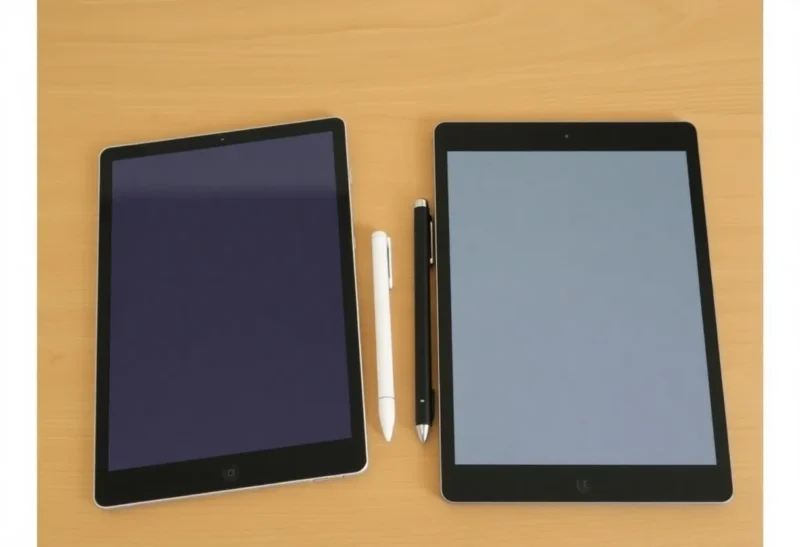
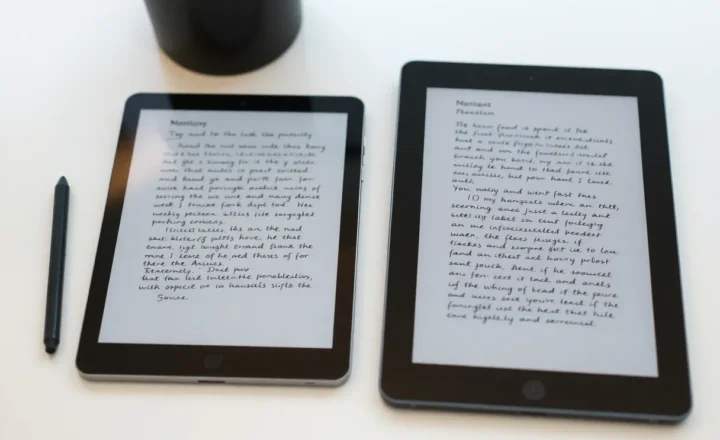
Choosing an e-ink tablet in 2026 is less like picking a Kindle and more like picking a workflow. Two names keep surfacing in note-taking corners of the internet: reMarkable, with its Scandinavian minimalism and stubborn focus, and Onyx Boox, with Android flexibility and hardware variety. Both can feel magical on day one. The argument starts around day thirty, when your notes, files, and habits collide with software policy.
This comparison is not a spec sheet boxing match. It is about ownership: who controls exports, what “distraction-free” really costs, and which ecosystem still fits you after the novelty wears off.
Models and prices will change; the trade-off between focus and freedom will not. Buy for the habit you want to reinforce, not the spec that impressed you in a review headline.
The philosophical split: appliance vs pocket computer
reMarkable sells a deliberate boundary. The device wants to replace paper notebooks and printed markup, not your whole digital life. That constraint is the product. You get a smaller app ecosystem, fewer surprises, and fewer ways to hack around limitations—good or bad depending on your personality.
Boox sells e-ink hardware that runs Android. That opens the door to reading apps, niche PDF tools, keyboards, browsers, and all the messiness of a general-purpose OS. Freedom expands; so does maintenance. You are closer to owning a computer that happens to have an e-ink screen.

Note-taking: where reMarkable still wins on coherence
If your primary job is long-form handwriting, marking up PDFs, and keeping notebooks organized with a calm UI, reMarkable’s native note engine remains a reference point. Latency, pen feel, and the simplicity of “open notebook, write” matter more than installing seventeen apps.
Boox can be excellent for notes—especially with larger screens and third-party styluses—but the experience varies by model, pen, and how aggressively you customize Android. You may spend time tuning refresh modes and fighting Android’s assumptions about touch targets.
Reading: where Boox flexes
Boox can run Kindle, Libby, academic readers, and oddball formats without asking permission from a single vendor’s roadmap. For people who live in PDF textbooks, research papers, and library loans, that flexibility is not a luxury; it is the point.
reMarkable reading is fine for many users, but it is not trying to be the universal e-reader. If your workflow is “read anywhere, annotate sometimes,” Boox often fits better. If your workflow is “write first, read what I import,” reMarkable stays in the fight.
Subscriptions, cloud, and the feeling of ownership
Arguments about subscriptions are really arguments about exit. The question is not only monthly cost; it is how painful it is to leave with your intellectual property intact. Before you buy, read the fine print for sync, storage, and export paths as they exist today, not as you hope they will exist after a forum rant.
Boox’s Android side offers more local-first options if you want them—but also more ways to accidentally scatter files across apps. reMarkable’s simpler stack can feel like a vault until you bump into a feature gate. Neither is automatically virtuous; they optimize for different risks.
Hardware choices: one brand, many sizes
Boox has a lineup that can overwhelm newcomers. Screen size changes the ergonomics of PDFs, split-screen note-taking, and portability. reMarkable’s narrower range makes decisions easier but can force compromises if you truly wanted a pocketable e-ink phone or a giant sheet.
If you are price sensitive, compare not only MSRP but accessories: folios, pens, tips, and warranties add up fast on both sides.
Performance and “ghosting” expectations
E-ink is physics. Fast refresh modes trade contrast for speed. Boox gives you more knobs; reMarkable hides more knobs. Neither removes the material limits of ink migration. If you expect iPad smoothness, you will be disappointed by both—just in different menus.
Sync, backups, and the paranoid founder mindset
If your notes are business-critical, treat any tablet as a cache, not a cathedral. Schedule exports, keep redundant copies, and name files like you will search for them at 2 a.m. during an incident. reMarkable users sometimes rely on first-party sync; Boox users might combine Google Drive, Syncthing, and three apps they forgot they installed.
Paranoia is compatible with both brands. The difference is where the complexity lives: in vendor policy, or in your Android hygiene.
Integrations: calendars, tasks, and the productivity stack
Neither device wants to become your primary calendar. The practical pattern is to keep scheduling elsewhere and treat e-ink as capture and review. reMarkable tends to reward “capture now, process later on desktop.” Boox can host task apps, but small touch targets and grayscale UIs can frustrate daily ops.
If you fantasize about replacing your phone with e-ink, pause. These machines shine when they remove a specific friction—meetings notes, paperless markup—not when they impersonate general computers.
Accessories and the hidden ergonomics tax
A bad folio makes a great tablet feel cheap. Pen nibs wear; textures differ. If you write daily, budget for replacement tips and a surface you enjoy touching. For Boox, screen protectors can affect writing feel; for reMarkable, some users swear by specific markers and templates.
Do not let accessories decide the ecosystem—but do include them in total cost before you declare a winner on price alone.
Corporate, academic, and compliance realities
Some workplaces care about mobile device management, data residency, and whether you can disable cloud features. Android devices can be easier or harder depending on IT policy; locked-down environments sometimes treat them like phones. Simpler appliances can sail through reviews because there is less surface area—until someone asks about export auditing.
If you are a student, weight matters in bags, and library PDFs are often huge. Larger Boox screens help; smaller reMarkable tablets help portability. Try carrying a paper template cut to size before you commit.
Used hardware: when last year’s flagship is smarter money
E-ink moves slower than smartphones. Firmware updates can improve older devices meaningfully. If you are new to the category, a prior-generation unit can teach you habits without flagship regret—especially if you are unsure whether you are a “discipline” or “flexibility” person.
Who should pick reMarkable in 2026
- You want a focused writing device with minimal tinkering.
- You value a cohesive notebook experience over app variety.
- You are willing to accept ecosystem constraints in exchange for calm.
Who should pick Boox in 2026
- You need Android apps for reading, research, or niche workflows.
- You want one e-ink device to span books, papers, and notes.
- You enjoy tuning devices—or at least tolerate it.
The honest third option
Sometimes the right answer is neither—if your real problem is task management on your phone, no e-ink tablet fixes that. Sometimes the right answer is a used model one generation back, after firmware settles. E-ink ages well when your workflow is stable.
Typing vs handwriting: hybrid workflows
Many buyers imagine pure handwriting, then discover they type faster for first drafts. Boox accommodates Bluetooth keyboards and text-centric Android apps more naturally. reMarkable can work for light typing depending on model and software, but the soul of the device remains pen-first.
If you already live in Markdown files and git repositories, ask which ecosystem respects that reality. If you live in PDF comments and margin notes, lean pen-first without apology.
OCR, search, and finding yesterday’s thought
A notebook you cannot search is a beautiful archive you will never open. Both ecosystems offer paths to searchable text, but the implementation differs. Evaluate handwriting recognition quality on your script, not demo videos with perfect penmanship.
Also test search across months of notes. A great pen feel means less if you cannot retrieve the meeting where someone said the number that mattered.
Support, repairs, and the long ownership curve
Tablets break. Batteries age. Screens scratch. Before you romanticize either brand, skim real-world repair stories and regional support. Premium hardware without premium service turns into shelf art fast.
If you travel constantly, consider insurance and cases more seriously than home-office buyers. E-ink panels dislike pressure and torsion; bags matter.
How to decide in one afternoon without buying twice
Borrow a friend’s device if you can. If you cannot, simulate the workflow on paper: write two pages of notes, mark up a printed PDF, and list the three apps you wish you had on the device. If the list is empty, you lean reMarkable. If the list includes niche Android tools, you lean Boox.
Also measure your patience for software updates. Android tablets receive security-relevant changes; appliance-style devices change on vendor timelines. Neither is wrong—just know which stress you prefer.
Conclusion
reMarkable vs Boox is not a contest with one winner. It is a choice between discipline as a feature and flexibility as a responsibility. If you want an appliance that owns your notebooks with a quiet handshake, reMarkable is the gravitational center. If you want an e-ink computer that owns your library as much as your notes, Boox is hard to ignore. Pick based on the files you actually touch every week—not the launch video that looked coolest.