Mesh Router vs Wired Access Points: What Reliability Actually Costs

Halima Okafor
April 7, 2026
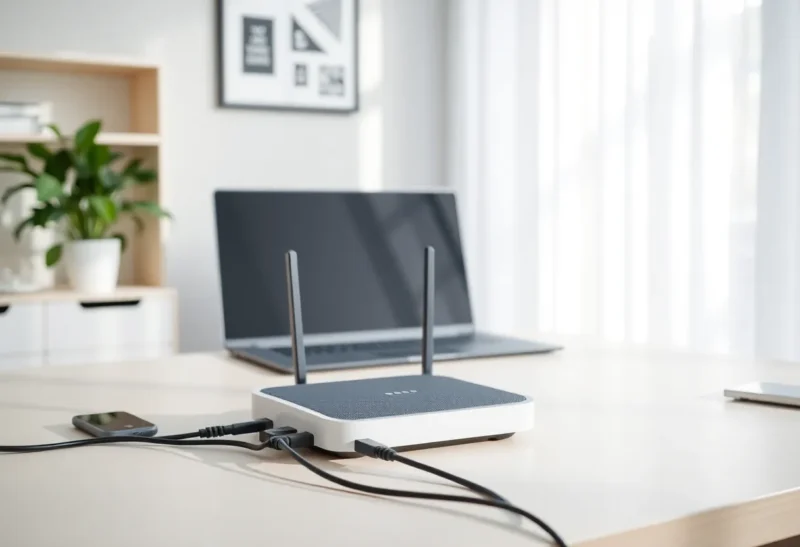
If you have ever stood in an aisle—or scrolled through forums—trying to decide between a glossy mesh kit and a stack of access points plus cable, you are not choosing between two logos. You are choosing between two different philosophies of how your home network fails, recovers, and feels day to day. Mesh is seductive because it promises coverage without drama. Wired access points promise something quieter: predictable performance when the air is busy and the stakes are high.
This article is not a religious war. It is a practical look at what “reliability” costs in money, time, and ongoing attention—and why the right answer for your house might be mesh, wired APs, or a deliberate hybrid.
Start with the job you are actually hiring the network to do
Before comparing products, name the workloads. A network that only has to keep Instagram scrolling and light email alive can be forgiving. A network that must carry video calls, cloud gaming, large uploads, and a dozen Wi-Fi smart devices at the same time is not. Add security cameras, baby monitors, or a home server and you are suddenly in territory where “pretty good Wi-Fi” stops being good enough.
Mesh systems are optimized for a simple story: plug in a few nodes, let them find each other, and walk away. Wired access points assume you can get Ethernet to the places where radio matters most. That single assumption changes everything about performance ceilings and failure modes.
What mesh is really good at
Consumer mesh kits shine when backhaul—the link between mesh nodes—is wireless and you want a polished setup flow. Good mesh software handles roaming in a coordinated way, so your phone is nudged toward a stronger node without you thinking about it. For many apartments and modest homes, a three-pack mesh system can deliver perfectly pleasant coverage with minimal configuration.
Mesh also tends to win on aesthetics. Nodes are designed to sit on shelves and look intentional. If your household veto runs anything with visible antennas, mesh vendors have spent real money making that tradeoff palatable.
Where mesh strains is physics. Every wireless hop consumes airtime. When nodes talk to each other over the same radio bands your devices use, you are paying a tax on throughput and latency that wired backhaul does not impose. That tax might be invisible when the network is idle and brutal when it is not.

What wired access points are really good at
A wired access point is, in the simplest terms, a radio connected to your router or switch by Ethernet. The backhaul is a cable, which means the AP is not competing with your laptop for spectrum just to reach another node. That matters more than benchmark charts suggest, because home Wi-Fi is rarely limited by the number on the box—it is limited by interference, neighbor networks, and the cumulative chatter of dozens of devices.
Wired APs also tend to scale cleanly. You add capacity where you need it: one AP for the office, one for the upstairs landing, one for the garage workshop. Each unit does less magical mesh routing and more of the straightforward job of serving clients in its zone. In busy RF environments—townhomes, dense apartment buildings, homes near commercial strips—wired APs often feel calmer because they reduce reliance on wireless hops.
The obvious catch is installation. Running cable through walls, attics, or along baseboards is work. If you rent, you may be limited to flat Ethernet tucked under carpet or exposed conduit. That friction is real, and it is why mesh exists as a mass-market product category.
Latency, jitter, and the myth of “enough Mbps”
People shop for megabits per second because megabits are easy to advertise. Reliability for real-time applications is often about latency variation—how much your ping spikes when someone else starts a 4K stream or a cloud backup. Mesh systems with wireless backhaul can exhibit more jitter under load because traffic may traverse multiple radio links before it reaches the internet.
Wired backhaul does not eliminate contention on the last hop to your phone, but it removes an entire class of variability between APs. For video calls and competitive gaming, that difference can be the line between “fine” and “why is everyone frozen.”
This is not to say mesh cannot be excellent. High-end mesh kits that support dedicated wireless backhaul on a separate band, or that encourage Ethernet between nodes, can narrow the gap substantially. The question is whether you are buying that tier—or the entry pack that leans heavily on shared spectrum.
Failure modes: what breaks first
Reliability is also about what happens when something goes wrong. Mesh ecosystems sometimes fail in ways that are opaque: a node drifts out of sync, a firmware update changes roaming behavior, or the controller app loses track of topology. The system may still “work,” but performance becomes uneven in corners of the house where you do not immediately notice.
Wired AP setups can fail too—bad crimps, a flaky PoE injector, a switch port going weird—but the failure tends to be localized. One AP misbehaves; the rest of the house is unaffected. That modularity is underrated for troubleshooting. You can swap a single AP without re-architecting the whole property.
Power matters as well. Some mesh nodes depend on wall warts in inconvenient outlets. PoE-powered APs can be fed from a central switch with a UPS, which buys you graceful behavior during short outages—especially valuable if you rely on VoIP or work-from-home connectivity.

What reliability costs in dollars
Upfront cost is only part of the ledger. A midrange mesh kit might land close to a modest wired AP plus switch setup—until you price in cable, wall plates, tools, or professional installation. If you already have Ethernet runs from an old phone-line retrofit or from a builder pre-wire, wired APs can suddenly become the bargain option because the expensive part is sunk.
Also consider upgrade paths. With discrete APs tied to a reasonable controller (vendor-managed or open-source), you can replace radios as standards evolve without throwing away the entire ecosystem. Mesh kits are often sold as matched sets; upgrading one node without mismatched behavior can be fiddly depending on the vendor.
Smart home and IoT: the hidden airtime consumers
Low-bandwidth IoT devices are not harmless. Many chatty Wi-Fi sensors and cloud cameras create management traffic that adds up. Mesh systems sometimes compensate by aggressive band steering and client grouping, but they cannot invent spectrum. If your smart home is dense, wired APs with thoughtful placement—especially away from microwave ovens and USB 3.0 noise sources—can keep your phone and laptop on cleaner channels.
For Zigbee and Thread devices, your Wi-Fi design still matters because coexistence is real. A strong, stable backbone reduces the temptation to add repeaters and bridges in awkward places. Good Wi-Fi is not the same as a good mesh coordinator, but the two problems rhyme: you are managing how traffic aggregates in the air and in your time.
When mesh is the rational choice
Choose mesh when running cable is impractical, when household aesthetics and setup simplicity outweigh peak performance, and when your workloads tolerate moderate variability. Rental apartments, small single-story homes, and networks without heavy upload demand are classic mesh wins. If you can Ethernet-link even one satellite node back to the router, you are often buying a meaningful upgrade without full home wiring.
When wired access points are worth the hassle
Choose wired APs when you can get cable to key rooms, when you have demanding real-time apps, when RF competition is fierce, or when you want modular maintenance. Multi-story homes with concrete floors, home offices with daily video calls, and media rooms with local streaming all lean this direction. If you enjoy tinkering—or you just dislike mystery slowdowns—the AP route rewards patience.
The hybrid that many power users end up with
Real life is messy. A common pattern is a wired backbone with multiple APs, plus a modest mesh feature in the software stack for seamless roaming—or a mesh kit whose satellites are all wired. Vendors blur the lines on purpose. The useful distinction is not the marketing label but whether backhaul is wired and whether your APs coordinate roaming intelligently.
If you already own a mesh kit, experiment before ripping it out. Try wiring one secondary node. Measure latency to your gateway under load before and after. Sometimes a single Ethernet run to a far corner transforms the experience more than buying a faster internet plan.
Bottom line
Mesh router systems trade installation friction for shared-spectrum backhaul, which can be perfectly fine—or quietly expensive in latency and consistency. Wired access points trade sweat and cable for a calmer RF story and localized troubleshooting. Reliability is not only uptime; it is how predictable the network feels when everyone is home and everything is online at once.
Pick based on your walls, your workloads, and your tolerance for invisible taxes on the airwaves. The best network is the one you can maintain without superstition—and that might mean mesh today, a spool of Cat6 tomorrow, or both in the same house without apology.