Mechanical Keyboard Switches: Travel, Tactility, and Acoustics Without the Audiophile Mythology

Yuki Tanaka
April 8, 2026
Mechanical keyboard culture loves lore: “thock” versus “clack,” linear versus tactile holiness, factory lube versus kitchen-table experiments. Under the mythology sit measurable basics—stem travel, spring weight, leaf design, housing tolerances—that explain why two switches with similar marketing names can feel nothing alike on your desk. You do not need golden ears to choose well; you need vocabulary tied to physics, plus honest listening in the room where you actually type. Treat vague adjectives like “buttery” as a prompt for follow-up questions, not proof.
This article separates travel, tactility, and acoustics into practical terms, explains what mods change (and what they cannot fix), and helps you shop without getting lost in forum performance art.
You will notice we avoid ranking switches as “best.” Preferences are biological and contextual. The goal is repeatable language so you can describe what you dislike and iterate toward what you want—without buying twelve group buys on faith.
Travel: how far the key goes before it registers
Total travel is the distance the stem moves from rest to bottom. Actuation—the point where the keyboard sends a signal—usually happens before bottom-out. Shorter travel can feel faster for gaming bursts; deeper travel can feel cushioned for long writing sessions. There is no universal optimum, only fit for finger style and desk height.
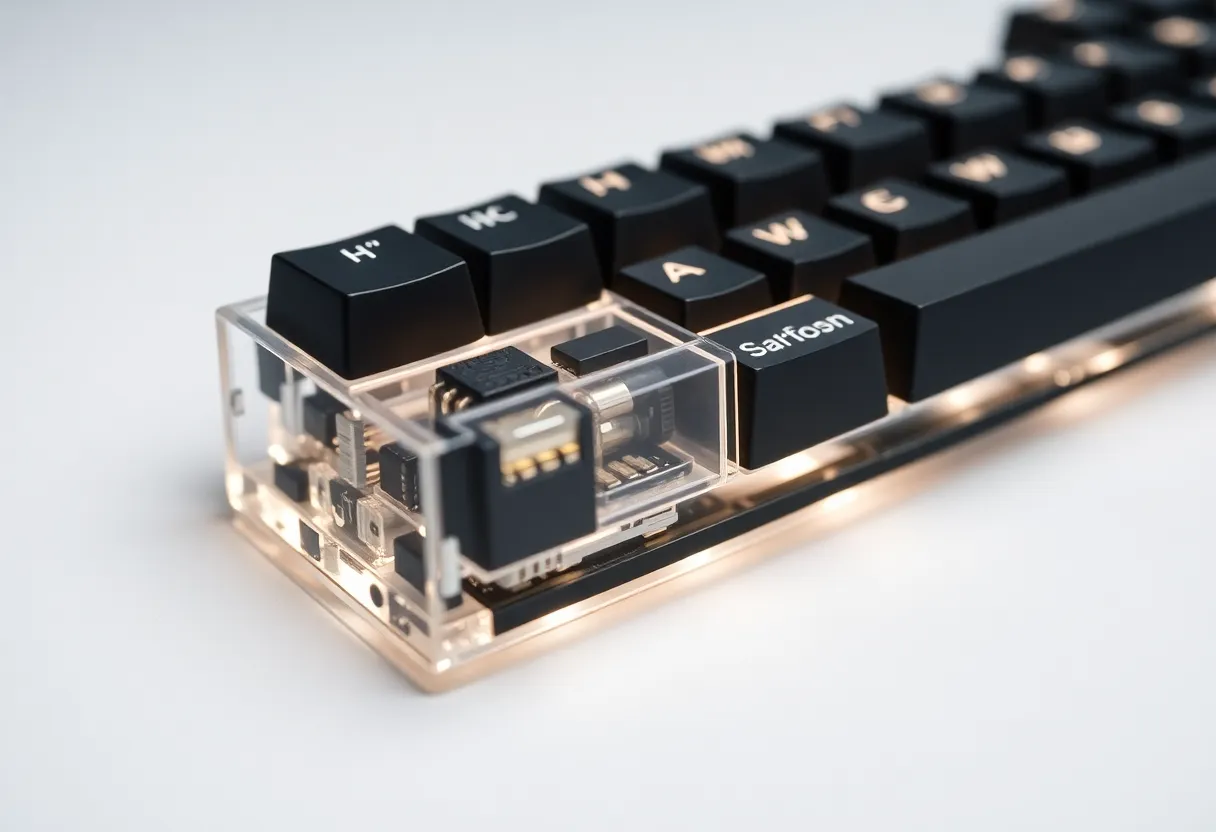
Manufacturers publish nominal millimeters, but tolerances vary batch to batch. Hot-swap sockets make it cheaper to experiment: try a column of alternatives before recommitting your whole board.
Tactility: the bump you feel (or do not)
Linear switches move smoothly until bottom-out; tactile switches add a bump partway down; clicky switches add audible feedback—often via a leaf mechanism—along with tactility. “Heavy tactile” fans want a pronounced bump; “silent tactile” seekers want feel without office-annoying noise.
Confusion arrives when tactility is subtle. Some “ergonomic” switches feel almost linear to new fingers but still provide micro-feedback that reduces accidental keypresses. Demo boards matter because spec sheets rarely capture bump shape—rounded versus sharp.
Pre-travel—the wiggle before meaningful resistance—also changes perceived quality. Excess wobble can feel cheap even if actuation force matches the chart. Stem tolerances and keycap fit interact; “wobble” complaints are sometimes keycap-related, not switch-related.
Spring weight and fatigue
Heavier springs resist harder; lighter springs fatigue some typists less but can cause more bottom-out slaps if you are heavy-handed. Actuation force and bottom-out force differ; springs can be progressive. If you get finger soreness, consider lighter springs or o-ring dampers rather than immediately blaming “bad technique.”
O-rings shorten bottom-out travel slightly and soften impact noise; they also change keycap height subtly. Some typists hate the mush; others love the muted landing. Cheap packs let you test a row before committing the whole board.

Acoustics: case, plate, foam, and desk—not just the switch
Sound is a system property. The same switch can thud in a plastic case with a soft plate and ping in an aluminum tray with a stiff brass plate. Foam layers damp resonance; tape mods tweak frequencies; keycap profile and material change pitch. Chasing “thock” by switch alone while ignoring hollow cases is how people buy five switch sets and still hate the noise.
Microphones lie: phone recordings boost highs; room mic placement changes everything. Compare boards in person when possible, or watch videos with known reference microphones—not random TikTok clips shot with aggressive noise reduction.
Plate materials: flex, stiffness, and sound
Polycarbonate plates flex more; aluminum feels stiff; brass adds weight and a brighter profile to some ears. Carbon fiber splits differences. Plate choice interacts with mounting style—gasket mounts isolate the PCB from the case; top-mount behaves differently. If you are buying a prebuilt, plate choice is often bundled; custom builds let you tune intentionally.
Lubrication: smoother travel, different sound
Factory lubing improved over the years, but hobbyists still hand-lube for consistency—especially on budget lines. Lube reduces scratch and high-frequency ping; it does not fix bent pins or cracked housings. If you are not into weekend surgery, prioritize well-reviewed pre-lubed options or pay a builder.
Hot-swap, soldering, and the cost of curiosity
Hot-swap PCBs let you pull switches with a tool instead of a soldering iron—great for experimentation. Soldered builds feel more permanent and can be quieter when done cleanly. Neither is morally superior; match maintenance appetite to your life.
Stabilizers: the bigger rattle hiding behind little switches
Long keys—spacebar, shifts, enter—use stabilizers. A premium switch stack still sounds cheap if stabilizers rattle or tick. Band-aid mods, lube, and careful wire balancing fix most sins. Before blaming switches for a mushy spacebar, pop the stabilizer and inspect for bent wires or debris.
Keycaps: profile, material, and the sound you hear last
Thick PBT caps often sound deeper than thin ABS; sculpted profiles like SA change how fingers strike. Legends and dye-sub quality affect longevity more than sound, but shine-through legends pair with RGB if that matters aesthetically. Group buys can delay gratification for months—factor patience into “value.”
RGB, firmware, and distraction budgets
Per-key RGB is fun and also software surface area. QMK/VIA-style configurability helps remap layers for ergonomics; flashy animations do not. If you chase productivity, invest time in layout design before chasing rare switch colorways.
Ergonomics beyond switches
Split keyboards, tenting, and negative tilt affect strain more than swapping from brown to ivory mystery clones. If pain persists, assess desk height and wrist extension before buying another bag of springs.
Office politics of noise
Open offices punish clicky switches. Silent linears or dampened tactiles exist, but “silent” is relative—desk microphones still pick up thumps. Test at your speaking volume; consider a desk mat.
Electrical chatter: debounce, polling, and the gaming frame chase
Mechanical contacts bounce microscopically on close; firmware debounces to avoid duplicate letters. Quality controllers handle this well; cheap ones can add odd latency. For gaming, polling rate and firmware path matter alongside switch physics—1000 Hz polling does not fix a mushy stabilizer. Typing-focused users rarely need to obsess over milliseconds unless they are chasing competitive edge cases.
Clones, homage switches, and ethics
The market has many “inspired by” switches with similar names. Some are honest iterations; others are counterfeit. Buying from reputable vendors reduces the risk of mislabeled weights or recycled housings. If a deal looks impossible, assume risk—especially if pins arrive bent or lubricant smells wrong.
Environmental notes: small parts, long use
A durable keyboard kept for a decade beats three disposable plastic boards. Repairability—hot-swap, standard footprints, open-source firmware—extends life. Recycle e-waste responsibly when boards truly die; salvage switches for testers or teaching kits.
What to buy first
Start with a switch tester or a meetup demo. Buy enough switches for a full row plus spares if you plan to mod. Read batch reviews—retooling happens. Budget for films if your stems wobble more than you like; films tighten feel subtly.
Optical, magnetic, and analog: different physics, new trade-offs
Optical switches interrupt a light beam instead of metal contacts—potentially longer life, less debounce weirdness, but dependence on specific PCBs. Magnetic Hall-effect switches enable adjustable actuation points and analog-style inputs in some gaming boards. These can be marvelous or fiddly; firmware quality matters as much as the sensor.
Low-profile vs standard height
Low-profile switches shave millimeters for travel bags and shallow cases. Keycap variety is narrower; feel can be stiffer. If you want a desktop anchor, standard height offers more community knowledge and parts. If you want MacBook-adjacent thinness, low-profile is coherent—just accept fewer artisan cap options.
Budget tiers: where corners get cut
Budget boards sometimes use out-of-spec sockets or thin plates that flex. Mid-tier often hits the sweet spot: decent foam, reputable MCU, and hot-swap. Flagship buys you case machining and finish—sometimes sound—more than raw reliability. Read teardowns; a pretty weight does not guarantee clean soldering.
Maintenance and longevity
Dust and pet hair infiltrate housings over years. Compressed air, occasional switch pulls, and cleaning keycaps keep feel consistent. Springs can sag slightly after heavy use; hot-swap makes replacement cheap. Treat keyboards like tools—service them before they become crunchy mysteries.
Bottom line
Travel, tactility, and acoustics are learnable without mystique. Pick based on your hands, your desk, and your coworkers’ patience—then adjust case and keycaps before chasing the next rare group buy. The best mechanical keyboard is the one you maintain, not the one that wins forum polls.
A sane upgrade path
If you are new, start with a reputable hot-swap board in a layout you already tolerate—TKL, 75%, or compact full-size. Swap switches on one row at a time; note fatigue after a week. Only then invest in premium cases or exotic materials. Incremental changes isolate variables; buying everything at once makes debugging feel like astrology.
When you finally land on a combo that feels invisible during work, stop shopping for a quarter. Let your muscles adapt. The hobby will still be there—switches are not going extinct—but your wrists appreciate consistency more than novelty.
That is the quiet promise of mechanical keyboards done right: not louder flex, but longer comfortable sessions—and fewer mystery purchases cluttering your drawer. Measure twice in testers; buy once in bulk.