Keyboard Maestro vs n8n on a Mac Mini: Local GUI Automation vs HTTP Glue

Helen Cho
August 25, 2026
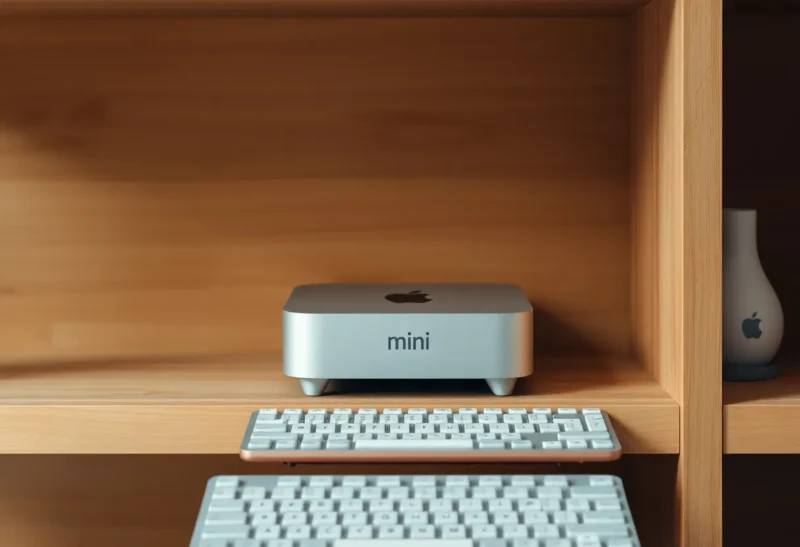
A Mac mini that never sleeps is a popular answer to “I want automation without a cloud bill.” People then install n8n and feel done. n8n is HTTP glue. It will not press the Export button in a desktop app that has no API. Keyboard Maestro will press the button, and it will break when the button moves two pixels. Both tools belong on the same mini. They are not substitutes. They are different layers.
I run both. I used to run only n8n and I called the remaining jobs “manual.” They were not principled. They were UI. This is the honest split: if the system speaks JSON, n8n. If the system speaks menus, Maestro. If you try to make n8n click, you will invent a browser farm. If you try to make Maestro orchestrate six SaaS APIs, you will invent a worse Zapier.
Why the mini is the scene
Maestro wants a logged-in GUI session. A headless Linux box will not do. The mini stays logged in, screen can be off, user can be you. Accessibility permissions stay granted. That is a security story you should not ignore: a closet Mac that can drive the mouse is a closet Mac a thief with your iCloud can also drive. FileVault, a good password, and no inbound Screen Sharing from the internet are not optional flavor.
n8n is happier as Docker on the same machine or on a Pi. I keep n8n on the mini anyway so one UPS, one tailnet, one brain. Two hosts is two restore drills. The mini’s job is “awake.” n8n’s job is “webhook.” Maestro’s job is “click.”
Keyboard Maestro: the last mile of apps that hate you
Accounting tools, ancient catalog software, a vendor portal that is “an app” and not a site, a design tool whose batch export is a menu: Maestro is how those jobs leave your evening. Image-based clicks, menu selection, typed keystrokes, “wait for a window.” It is 2008-shaped and it still works in 2026 because vendors still ship 2008 software.
The failure mode is visual. A macOS update changes the font. A dialog adds a checkbox. Your macro exports the wrong folder for a week. I screenshot the before and after into the macro comments. I run a weekly dry job I watch. Unattended Maestro is a fire if you never watch. I would rather a job fail loudly than succeed at the wrong invoice.
Maestro is also excellent for local file chores the Finder should have: rename a drop folder, OCR a PDF with a local tool, bounce a file into a watched directory that n8n then picks up. That bounce is the handshake I like. Maestro produces a file. n8n consumes a file or a webhook. Neither tool pretends to be the other.
n8n: the HTTP spine
n8n on the mini is how Slack, a calendar API, a homelab webhook, and a nightly HTTP cron live without Zapier tasks. Community nodes will tempt you. I pin versions. A community node that dies is how Saturday happens.
n8n will not reliably drive a native Mac app. Playwright in a container can drive a browser. That is not the same as Mail.app or a Win-app-in-Wine situation you should not have started. If the vendor only has a GUI, stay in Maestro. If the vendor has a terrible API, I still prefer the API plus retries over a click path. Clicks do not have status codes.
The handshake that keeps me sane
Pattern A: n8n receives an event, writes a JSON ticket into a folder, Maestro’s folder trigger runs the GUI export, writes a result file, n8n notices and notifies me. Pattern B: Maestro finishes a GUI job and curls n8n’s webhook. I use B more because I understand when the click path ended.
I do not let Maestro call six HTTP APIs. Variables in Maestro are fine. Orchestration of APIs is n8n’s job. When I violate that, I cannot debug. A failed click plus a failed token refresh in one macro is a murder mystery.
Sleep, screen, and the weekend reboot
macOS will sleep a mini you thought was a server if you click the wrong Energy setting. I disable sleep, enable restart after power failure, and I accept the electric bill as the price of GUI automation. n8n in Docker would have survived a headless reboot more cleanly. Maestro will not run the click path until a user session exists. I use an account that auto-logs in on that mini only, not on my laptop. The closet is a single-purpose animal.
Updates: I do not auto-update macOS on the automation mini the same day as my laptop. I update when I can watch the macros. A Monday GUI change plus an unattended invoice job is how you send art to the wrong client. n8n updates get the same caution, less visually.
When you should not buy the mini
If every job is HTTP, buy a cheaper always-on box or a tiny VPS and skip Maestro. If every job is GUI, you still might want n8n for notifications, but you could email from Maestro and live. The mini-plus-both is for mixed lives: real APIs and unredeemed desktop software.
If you cannot tolerate a machine that can click as you, do not run Maestro unattended. Hire a human for the last mile or replace the vendor. I mean that. Accessibility-driven automation is powerful in the same way Tasker is powerful. You are the policy.
Licensing and the second user lie
Keyboard Maestro is paid and worth it if you will write more than three macros. n8n is free self-hosted until you want their cloud. I self-host. I do not put the n8n editor on the public internet. Tailscale only. Maestro does not need a port. It needs the session. Different attack surfaces, both real.
A week of jobs as a test
List the automations you actually run. Circle the ones that touch a pixel. Those are Maestro. Circle the ones that touch a URL. Those are n8n. If a job is both, split it at a file. If you cannot split it, the vendor has you, and you should count the hours you will spend after every app update.
I would not replace n8n with Maestro to “keep one app.” I would not replace Maestro with n8n to “be modern.” Modern is a JSON status code. The 2008 menu bar is still how two of my clients exist. The mini holds both centuries. That is the job.
Notifications, locks, and watching a click fail
When Maestro fails, I want a screenshot on disk and a ping. n8n can send the ping if Maestro curls it. I also keep a local log file because I have lost pings when the mini’s network blinked. A screenshot of the wrong dialog is the only debugger that matters for GUI work. n8n’s execution list will not show you that the Save panel was behind another window.
Screen locks complicate Maestro. A locked screen may still run some macros and may not click what you think. I keep the closet session unlocked in a locked room, which is a privilege. If your mini sits in a living room, you have a kid-and-guest problem. A locked GUI automation box in a public room is how macros fire while someone is logged into a browser. Dedicated user account. Dedicated machine. Not your daily-driver login.
Remote access to fix a stuck dialog is why people enable Screen Sharing. I use Tailscale and I still hate it. A stuck dialog at 2 a.m. can wait until 7 if the job is not money. If the job is money, I do not leave it on a click path. I leave money jobs on APIs. That sentence should be on a sticker on the mini.
Backups of the mini must include Maestro macros and n8n’s volume. A clean macOS reinstall without the macros is a brick that boots. I have done that restore on purpose. Time Machine plus an n8n export. If you have not restored, you have a humming hobby, not a system.
The split I would keep
n8n is the spine. Maestro is the hand. The Mac mini is the body that stays awake so the hand has a desk. HTTP glue does not click. Clicks do not retry like HTTP. Asking either tool to become the other is how closet servers become hobbies you resent. Use each for the interface that exists. Then go to bed knowing the mini might fail a click, and that you will see the screenshot in the morning instead of a green Zap that never knew the button moved. A green dashboard that cannot see a menu is not green. It is optimistic.