IME and Autocomplete: Why Multilingual Typing Breaks Differently Than English

Quinn Reed
April 8, 2026
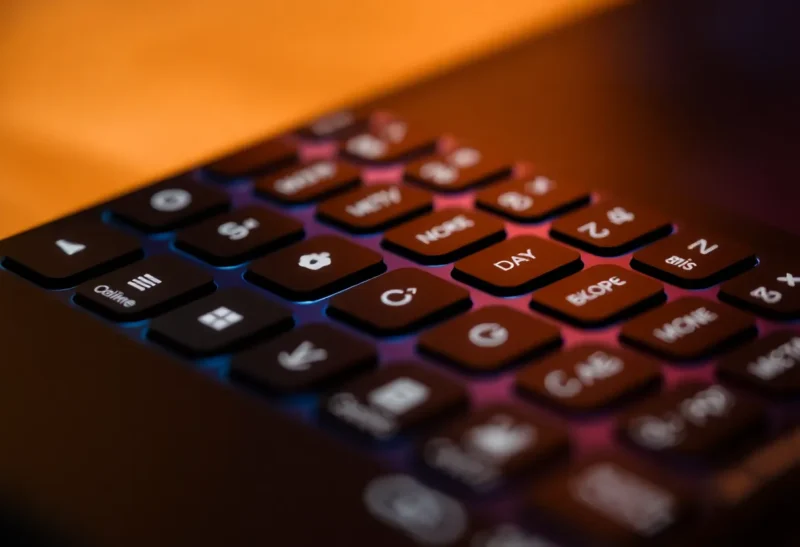
If English typing feels like “press letter, see letter,” multilingual typing is often “press keys, negotiate with a composer.” Input Method Editors (IMEs) sit between your hardware and the text model, transforming key sequences into characters, handling conversion candidates for logographic scripts, and juggling dictionaries that may not share the same privacy rules as your language’s autocorrect. The result: bugs that look like “the app is broken” are frequently input pipeline issues—especially when developers test only on US QWERTY with prediction disabled.
This article explains how IMEs differ from simple keyboards, why autocomplete misfires across languages, and what product teams should validate when they claim “global” support.
Examples skew toward East Asian IMEs because they make the composition problem obvious, but similar lessons apply to Vietnamese diacritics, Indic conjunct shaping, and emoji/skin-tone selectors—anything that turns key chords into richer output than a single code unit.
If you build APIs, remember clients may send precomposed or decomposed sequences; normalize intentionally at boundaries you control and document the choice. “Unicode-correct” and “user-correct” diverge more often than newcomers expect.
What an IME actually does
An IME is not just a layout. For languages like Japanese or Chinese, you type phonetic or shape-based sequences; the IME offers candidate lists of characters, manages segmentation, and often maintains a user dictionary. That state machine is alive while you compose—pressing Enter might commit text, Escape might cancel, and arrow keys navigate suggestions.

Web apps that assume keydown equals a character will break: composition events fire differently, and premature JavaScript that reads input values mid-composition can corrupt text.
Native apps are not immune—framework input abstractions can reorder events, and game engines that poll keyboard state every frame may miss IME state entirely. The symptom is “random” duplicate characters or missing commits after Enter.
Electron apps inherit Chromium behavior but add their own shortcuts; test IME on each OS separately. Windows and macOS IME implementations differ in subtle timing and focus rules.
Why English autocompletes feel “smarter”
English predictive models are trained on enormous monolingual corpora and tuned for products sold in English-first markets. Spelling correction is a tractable problem in an alphabet with clear word boundaries. Add agglutinative morphology or logograms and the model needs different tokenization, different lexicons, and different ranking signals.
Even “simple” multilingual typing on mobile often routes through a stack of language-specific models—if one is missing or outdated, suggestions degrade silently or switch languages mid-word.
Low-resource languages suffer twice: smaller corpora for models and fewer engineers filing bugs. A Swahili or Welsh keyboard might lack the same neural polish as Spanish—not because users deserve less, because economics and data availability lag.
Community-maintained dictionaries—open-source word lists, user dictionaries—can improve quality. If your product supports custom dictionaries, import/export formats matter for activists and educators extending coverage.
Composition events and the web
Modern browsers expose compositionstart, compositionupdate, and compositionend. Frameworks that bind input handlers naively may double-apply transforms or fight the IME. Rich text editors (contenteditable) amplify the pain: cursor placement during composition is notoriously fragile.
React, Vue, and friends have documented footguns with controlled inputs—resetting value props during composition cancels IME sessions. The fix is usually deferring controlled updates until compositionend or using uncontrolled inputs with refs. The details vary; the pattern is universal: do not fight the composer.
Right-to-left and bidirectional text
Mixing English and Arabic or Hebrew introduces bidi directionality. The caret jumps, selections invert, and punctuation placement surprises users who expect Latin behavior. IMEs for RTL languages interact with OS-level bidi resolution; web apps that style direction: ltr everywhere can scramble user input visually.
Emoji and mixed-direction runs add joy and pain: zwj sequences, skin tones, and flags rely on careful grapheme boundaries. Autocomplete that slices strings by naive byte indexes can split clusters and produce mojibake-adjacent weirdness.
Privacy and cloud IMEs
Some platforms ship cloud-backed prediction for certain languages. That means keystrokes may leave the device under policies users never read. Enterprise deployments sometimes disable cloud IME features—another reason your QA must mirror real environments, not only developer laptops.
Regulated contexts—health, finance—should document whether third-party keyboards are even allowed. Compliance teams sometimes blanket-ban them, pushing users toward less convenient input paths your UI must still tolerate.
Air-gapped environments may run older IME versions—another mismatch between designer laptops and field hardware. If your customers include government or defense, plan for older OS builds and stricter update policies.
Hardware and ergonomics interact with software
Physical layouts matter: ISO vs ANSI, localized keycaps, laptop firmware that remaps Fn. A hotkey that works in Seattle may collide with a dead key in Paris. IME state plus hardware chording is why “works on my machine” fails globally.
Unicode normalization and “same text” bugs
Users rarely think about NFC versus NFD, but databases do. Two visually identical strings can differ in normalization form, breaking unique constraints or search. IMEs may emit different sequences for the same glyph depending on platform. If your backend lowercases, strips, or hashes “for consistency,” test with composed Hangul, Thai tone marks, and combining diacritics.
Mobile keyboards vs desktop IMEs
Phones integrate prediction tightly with touch; swiping and gesture typing add another layer beyond hardware keys. Autocorrect aggressively “fixes” proper nouns in minority languages. If your app has custom text fields, ensure they do not disable system suggestions unless you replace them with something equally capable.
Tablet + external keyboard users sit in a hybrid world: OS may show desktop-style IME palettes on screen while routing physical keys through the same pipeline—test both.
Developer education: stop blaming users
When tickets say “I cannot type Korean,” the first instinct should not be “user error.” Capture OS version, browser, IME name, and a screen recording. Reproduce with the same IME installed. Most bugs are ours once we sit in the user’s chair.
Testing checklists for real multilingual support
- Verify IME composition in textarea and rich editors.
- Test undo/redo with committed CJK characters.
- Validate password fields—IME should usually be off; mistakes leak characters.
- Exercise shortcuts that conflict with IME keys (Alt, Shift combinations).
- Verify search with partial composition strings where applicable.
- Test copy/paste from external apps into composed fields.
Why “just translate the UI” is not enough
Localized strings without localized input pipelines produce angry reviews. Users who cannot type comfortably in their language will not care that your buttons speak their language. Treat input as a first-class feature.
Customer support tickets blaming “keyboard lag” sometimes trace to JavaScript main-thread stalls during large candidate list renders—performance is accessibility for IME users too.
Accessibility overlays
Screen readers announce composition states differently across OSes. If your custom widget hides semantics, blind IME users may hear silence while composing. Use platform roles and test with VoiceOver, NVDA, and TalkBack—not only visual QA.
Closing
Multilingual typing is where the illusion of “plain text” dies. Respect IMEs, learn composition events, and test beyond English. Your global users will feel the difference immediately—because they will finally be able to type.
Collaboration features and concurrent editing
Real-time collaborative editors add operational transforms or CRDTs on top of text that may already be mid-composition. Conflicts between remote edits and local IME sessions are gnarly. If you ship multiplayer typing, invest in conflict resolution testing with CJK users—not only ASCII stress tests.
Games and chat: low-latency traps
Games often grab keyboard focus globally, intercepting keys before the OS IME sees them. Full-screen exclusive mode plus chat overlay equals bug reports. The fix is cooperation with platform APIs for text input overlays, not blaming players for “using the wrong keyboard.”
Documentation debt
Internal docs should list supported IMEs and known issues—just like browsers publish compatibility tables. Future you—and future hires—will thank present you when a regression ships and someone can bisect against a written baseline.
Metrics that lie
Analytics on “characters typed” often count code units, not graphemes. A single emoji flag can inflate counts; a Korean syllable can be multiple Jamo. If you bill or rate-limit by “characters,” define units carefully or someone’s invoice becomes a Unicode philosophy debate.
Likewise, WPM benchmarks from English typing tests mislead when comparing languages. Qualitative feedback beats fake precision.
Finally, remember users switch languages mid-paragraph—code comments in English, narrative in Japanese, citations in another script. Your input pipeline must tolerate rapid context switches without forcing a full page reload or nuking draft text.
Teach support teams the difference between “keyboard broken” and “app mishandling composition.” A well-trained frontline can capture the right details before engineering spends a week chasing ghosts.
If you take one habit from this piece: install a second language keyboard on your dev machine and dogfood weekly—even if you are not fluent. Empathy follows friction; friction follows real keystrokes.
Multilingual typing is not a niche edge case; it is the default human experience. Build for it early and you avoid apologizing for cursor bugs later—bugs that never show up on monolingual QWERTY checklists.
Ship IME-friendly inputs before you ship another translated banner. The banner can wait; the cursor cannot. Your users will notice the difference immediately, every single day for real.