Action Cameras vs Smartphones for Editors: What 2026 Workflows Actually Reward

Finn Mercer
April 8, 2026
If you actually edit what you shoot—not just trim clips for Stories—the “best camera” is the one that survives your timeline, your color pipeline, and your audio fix in post. In 2026, flagship phones capture remarkable footage in good light, while action cameras survive environments phones should not visit naked. The editor’s question is not sensor hype; it is codec behavior, stabilization artifacts, dynamic range headroom, and how annoying the files are to move off-device. This article is for people who live in NLEs: where phones win, where action cams still justify their case, and what workflows reward in the real world.
Also be honest about distribution: a gorgeous 4K master means little if your audience watches on a six-inch screen with aggressive compression. Match capture complexity to delivery—over-shooting can burn storage and edit time without visible payoff.
Editors grading skin tones under tight deadlines may prefer phones with predictable color science they have graded before—familiarity beats a few more megapixels when the clock strikes export.
The phone advantage: one device, many jobs
Modern smartphones ship with computational photography stacks that rival dedicated gear for certain looks: HDR fusion, night modes, portrait segmentation, and instant proxies for social cuts. For travel creators who need photos, navigation, and quick vertical video in one pocket, the phone is the default.
For editors, phones often deliver 10-bit options, log-ish profiles on higher tiers, and mature app ecosystems for quick exports. If your deliverable is short vertical video with light grading, a phone can compress the entire pipeline from capture to upload—fewer sync steps, fewer dead batteries to manage.
Android versus iOS debates still matter for codec support and external SSD handling—some creators pick a phone ecosystem for how reliably it mounts storage and hands files to desktop NLEs. Test your exact cable and dock combo before travel days.
The action camera advantage: mount it and forget it
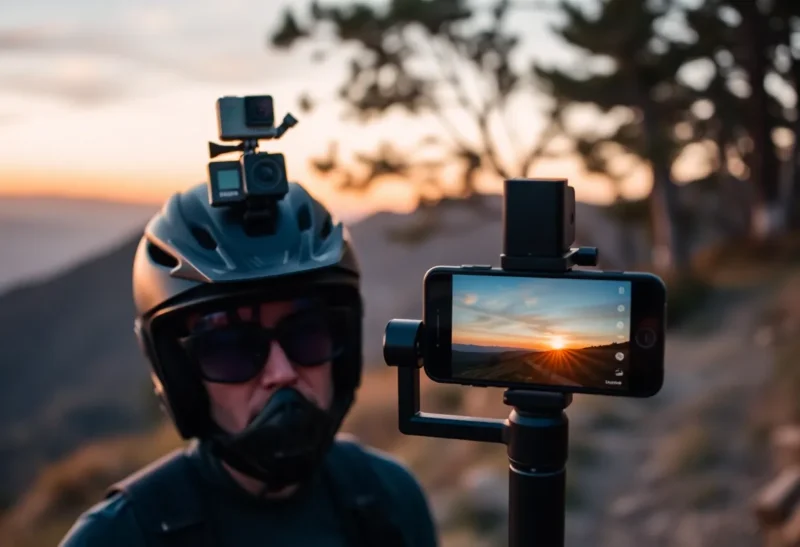
Action cameras earn their keep when the camera must live on a chest mount, handlebar, or snorkel strap—places you risk a $1,000 phone with regret. Wide-angle lenses, rugged housings, and physical controls under gloves matter more than raw resolution numbers.
In post, action footage often arrives with predictable fisheye you can lens-correct, and with stabilization tuned for violent motion rather than walking shots. That predictability speeds editing when you batch-process hundreds of clips from a week-long trip.
Battery swapping on action cams also beats baking a phone on a mountain: fewer thermal throttles, less anxiety about missing texts while airplane mode is forgotten. For multi-hour events, redundancy wins.
Codecs, bitrates, and the storage tax
Phones may default to efficient codecs optimized for storage—great for consumers, occasionally annoying for editors who want intra-frame codecs for scrubbing. Action cameras increasingly offer high-bitrate modes and flat profiles on flagship lines, but midrange bodies still push aggressive compression.
Before a big project, test proxy workflows: transcode to ProRes or DNx on ingest if your machine stutters on native files. The winning device is sometimes the one whose files your workstation eats without proxy babysitting under deadline pressure.
Resolution arms races—6K, 8K—help reframing if you deliver in 4K or below, but they punish laptops on ingest. Ask whether you truly punch in or just burn disk. Often, disciplined framing beats overshooting resolution.
Audio: where both categories still struggle
Phones can record surprisingly clean dialogue with external lavs or USB mics. Action cameras historically shipped usable-but-thin internal audio; newer models improve, but wind and water remain cruel. Editors should plan audio capture deliberately—dual-system sound with a recorder or phone as scratch track—rather than hoping for miracles from a waterproof door seal.
Sync claps or timecode boxes still matter. Automatic waveform sync is good until it is not—duplicate channel names, Bluetooth delay, and sample-rate mismatches happen. Build ten seconds of safety into every take when sound rolls separately.
Stabilization artifacts editors notice
Computational stabilization can introduce wobble, crop jitter, and oddities around rolling shutter. Phones may “float” handheld shots beautifully until backgrounds breathe unnaturally. Action cams crop aggressively to stabilize helmet footage—fine for POV, less fine if you need stable horizons for VFX tracking.
Shoot tests with intentional whip pans and low light; watch shadows for noise pumping. Editors pay those debts in denoise passes or by masking unstable regions.
ND filters matter for both: phones with fixed apertures need ND to hold shutter angle in bright sun; action cams benefit similarly to avoid jello and stuttery motion blur. Ignoring exposure discipline creates “fix it in post” nightmares.
Who should bias phone-first in 2026?
- Creators prioritizing speed-to-publish and vertical formats.
- Travelers minimizing gear weight and theft risk.
- Interview-heavy workflows with external audio already solved.
Who should bias action-camera-first?
- Outdoor and motorsports shooters who mount cameras where phones fear to tread.
- Underwater and winter sports where touchscreens fail.
- Editors managing long continuous takes who want consistent wide framing.
Practical workflow tips
Align frame rates and shutter angles across devices before the shoot. Color-match with charts or at least a gray card when mixing phone LOG and action flat profiles. Label cards obsessively—nothing wastes edit time like mystery clips.
Cloud sync is not magic: upload speeds and hotel Wi-Fi still bottleneck backups. Carry two small fast cards and rotate; ship a nightly duplicate drive if the footage is irreplaceable.
Editing NLEs: Premiere, Resolve, and Final Cut realities
Premiere Pro users often lean on proxies and flexible timelines—great for mixed codecs, but watch for variable frame rate phone clips if you record with certain apps; transcoding to constant frame rate saves audio sync headaches. DaVinci Resolve rewards GPU muscle and color management discipline; if you mix gamuts, set project color science and use LUTs carefully rather than stacking random filters. Final Cut’s magnetic timeline speeds rough cuts, but organize keywords because phone + action mixes get clip-heavy fast.
Whichever NLE you use, define master settings up front: timeline resolution, frame rate, and whether you finish in Rec.709 or a wider working space. Retrofitting color pipeline mid-project is how editors lose weekends.
When hybrid kits make sense
Many travel filmmakers pocket a phone for verticals and B-roll inserts while an action cam lives on a chest mount for stable POV. Editors love this split when color profiles are matched in camera—otherwise you spend hours chasing two different greens in foliage.
Documentary crews sometimes add a phone for covert angles where a larger camera attracts attention. Ethical lines matter; the technical line is simply whether you can match noise and sharpness convincingly in the cut.
Gimbal-mounted phones can mimic drone-like smoothness at eye level; actual drones remain a separate regulatory and skill stack—do not confuse phone stabilization with aerial perspective unless you truly have the altitude.
Collaboration and client review
Phones accelerate on-set approvals—airdrop a rough to a producer, iterate fast. Action footage may require laptop offload first. If your team reviews dailies remotely, standardize filenames and timecode where possible; phones often lack timecode unless you use professional apps or external recorders.
Long-term gear economics
Phones depreciate on a cellular cadence—two to four years for many users—while action cameras age more slowly if you avoid saltwater corrosion. Calculate total cost including cases, mounts, ND systems, and media. Sometimes a midrange action body plus a midrange phone beats chasing yearly flagship upgrades for marginal sensor gains.
Rental houses now stock action kits for productions that need crash cams; phones appear more in run-and-gun doc work. If you freelance, amortize purchases against expected gig rates—clients rarely pay extra because you shot on the newest sensor.
Accessibility and ergonomics
Phones are not equally usable for everyone: small hands, glove work, and bright sun glare challenge touch-first UIs. Action cameras with physical buttons and voice control can be more reliable in helmets and kayaks. Editors rarely discuss ergonomics, but missed shots cost more than codec debates.
If you have motor limitations, test mounting systems that do not require two-handed twists; your future self thanks you when swapping cards in the cold.
Closing the loop
Shoot a structured test day: same subject, same light, phone versus action cam, matched settings as closely as possible. Grade both in your actual pipeline. The winner for your eyes and your hardware is worth more than any launch keynote.
Bottom line
Phones and action cameras are not enemies; they are different lenses on risk and convenience. Editors should pick based on post tolerance, environmental abuse, and audio plans—not spec sheet duels. The best 2026 workflow is the one you can finish without cursing the files.