Homelab Backup Restore Drills: Why Borg and restic Green Dashboards Still Fail

Ellis Crowe
August 25, 2026
A green Healthchecks ping after Borgmatic finishes is the most comforting lie in a homelab. The job exited zero. The repo grew by a plausible number of megabytes. Grafana still says the disk is fine. You did not restore a single file onto a machine that was not the one that made the snapshot. You have a backup ritual. You do not have a backup.
Borg and restic are good tools. I use both. They fail the same way every other backup stack fails when a human treats “create” as the product and “extract” as a problem for later. Later is a disk that already died, a passphrase you stored in the vault that lived on that disk, or a prune policy that was mathematically pretty and operationally cruel.
This is not a tutorial for first snapshots. It is a list of restore drills that have caught real gaps, and the dashboard colors that hid them.
What a green dashboard actually measured
Most homelab “backup monitoring” measures one thing: a process started, talked to a repo, and exited. That is necessary. It is not sufficient.
It does not measure that the snapshot contains last night’s Postgres, as opposed to a copy of the data directory taken while a write was halfway through a page. It does not measure that the encryption key can be loaded on a cold laptop. It does not measure that the offsite target still accepts a read. It does not measure that forget left you a snapshot young enough to matter. It does not measure time. A 4 TB restore over a USB 2 dock you only plug in during a crisis is a weekend, not a plan.
Healthchecks is an excellent dead-man switch for “the cron still runs.” If the thing you need back is a Proxmox guest rather than a folder, PBS versus restic is that restore. I ping it at the end of a script that also runs restic check --read-data-subset=5% or borg check on a schedule, and I ping a different check after a restore drill. One check for create. One check for prove. If you only have the first, you have uptime for a script, not for your photos.
The failures Borg and restic cannot see
Application-unaware volumes
Docker makes this easy to get wrong. You bind-mount /var/lib/something and snapshot the mount. Borg is happy. The database is not. SQLite can survive a crash-consistent copy more often than people deserve. Postgres and MariaDB will eventually teach you about WAL. If the restore drill is “start the container on a new host and watch it refuse to boot,” you learned the lesson at the worst time.
The drill is: dump first, then snapshot the dump plus config. Or use a pre-backup hook that is actually flush-and-lock, not a comment in a compose file you meant to write. I want a pg_dump artifact I have opened with head on another machine. A volume tarball I have never started is a rumor.
Keys that lived inside the blast radius
Restic’s password and Borg’s keyfile are the backup. Lose them and the repo is decorative. I have met a homelab where the restic password was in a Vaultwarden that was only backed up by restic. That loop is funny until it is not.
Print the key material. Put it in a drawer that is not the office that floods. Put a copy in a password manager that is not hosted on the same NAS. Test unlocking the repo on a laptop that has never mounted the original paths. If you cannot unlock, you cannot restore, and the dashboard can stay green until the heat death of the universe.
Prune as a slow deletion bug
Retention policies look responsible. Keep daily for a week, weekly for a month, monthly for a year. Then you need the version of a compose file from eleven days ago and you have dailies for seven. Or you ran restic forget --prune after a successful backup of an empty mount because the disk had not remounted after a reboot. Congratulations. You now have a perfect snapshot of nothing, and the last good one aged out.
The drill is not “do I have a snapshot.” It is “do I have a snapshot that contains this path from this date.” Extract a canary file you update on purpose. If the canary is stale, the job is backing up the wrong tree. I keep a RESTORE_CANARY.txt in each dataset with a date I change on Mondays. The restore drill reads that file. If the date is old, the ping is a lie.
Offsite that is write-only in practice
rclone to B2 or Wasabi with an API key that can write is common. A key that can read is a different checkbox. I have seen lifecycle rules that expire objects the repo still thinks it owns. I have seen a USB drive that received a monthly rsync and then sat in a bag, silently failing its SMART test. Green local jobs. Dead offsite.
The drill is restore from the offsite target onto a scratch disk, not ls the bucket. Read costs money. Pay it on a Saturday. Paying it during a ransomware weekend is how you discover the key is wrong while you are already angry.
A restore drill that fits a Sunday
You do not need a full 4 TB pull every week. You need a rotation that eventually touches every critical dataset and every target.
Weekly, 30 minutes. On a throwaway VM or a spare directory, unlock the repo. Extract the canary plus one real file from each of two datasets. Open the file. If it is a database dump, confirm it starts like a dump, not like a zeroed sparse file. Ping the “restore prove” check.
Monthly, two hours. Stand up one service from backup on a different machine. Not the same compose project. Different hostname, different IPs. Home Assistant, Forgejo, or Vaultwarden are good candidates because they fail in obvious ways when secrets and UID maps are wrong. Time it. Write the time down. That number is your RTO, not the number you guessed when you bought disks.
Quarterly, a half day. Restore from offsite only. Assume the NAS is gone. Use the printed key. Use the laptop. If you cannot finish without touching the original host, the original host is still in the critical path and you do not have an offsite backup. You have a copy that depends on the building.
After every retention change. Dry-run forget. Then restore a file that would have fallen out. If you cannot, undo the policy before you prune.
Put the drills on a calendar the same way you put garbage night on a calendar. Motivation does not scale. Recurrence does.
Borg versus restic when the drill is the judge
I do not care which logo is on the binary if the drill passes. There are still differences that show up when you practice.
Borg wants a repo that behaves like a filesystem it can ssh into. FUSE mounts make “let me grab one file” easy, and easy is how drills actually happen. Compact and check are well documented. The keyfile story is explicit, which is good, until someone copies the repo and forgets the key. Append-only mode is a real conversation for a repo that other machines can write to.
Restic is friendlier to dumb object storage. The same command talks to a local path, S3, and a few other backends without pretending they are POSIX. check --read-data-subset is the cheapest honesty you can schedule. The password is the whole secret; there is no separate keyfile to lose, which also means there is no separate keyfile to keep offline unless you invent one. forget is easy to run and easy to regret. Cache on the client can hide a repo you are not actually talking to if you are sloppy with env vars. The drill on a clean laptop with a clean cache is the one that counts.
If you are already green on one, do not migrate for blog reasons. Add the drill. If you are starting fresh and the offsite is a bucket, restic is less awkward. If the offsite is a friend’s SSH box, Borg is a natural fit. Mixed shops exist. Mixed shops need two drills, not one dashboard with two panels.
Monitoring that matches the failure
Ping after create, with the snapshot ID in the log you keep. Ping after check. Ping after the weekly extract. Alert if the repo size drops by a surprising fraction. Alert if the canary date in the extracted file is older than eight days. Alert if the offsite restore drill is overdue, the same way you alert if a cert is overdue. A calendar event is an alert if you treat a miss like a miss.
Do not alert only on “job failed.” The dangerous jobs succeed. They succeed at backing up an empty mount. They succeed at pruning the last good snapshot. They succeed at writing to a disk that is about to be unplugged for travel.
Uptime Kuma on the backup host’s SSH port will not save you. It will tell you the host is up. The host is where the false confidence lives.
The human part that tools will not do
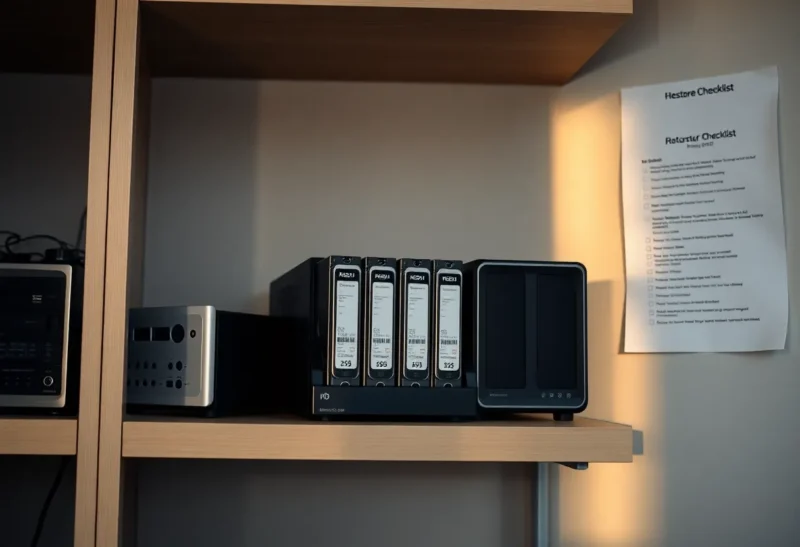
Someone else in the house should be able to find the printed key and the one-page restore note. If the note says “run the script,” the script has to live off-box. If the note says “call Ellis,” Ellis is a single point of failure with a vacation schedule.
The note should name: where the repo is, how to unlock it, which dataset is the photos, which is the forge, which is the password manager, and which dump must be loaded before the container starts. It should not name twelve tools you meant to try. During a real restore you will not invent a better architecture. You will do the last thing you practiced.
That is the whole argument for drills. Practice writes the note. The dashboard does not.
The close
Borg and restic fail as backups when they succeed as cron. Green is a statement about last night’s process. A restore drill is a statement about next month’s disk. Put a canary in the tree, extract it somewhere else, start one service on hardware that is not the original, and unlock the repo with a key that did not live on the NAS.
If that sounds like more work than enabling a community app on a Synology, it is. The Synology app needs the same drills. The icon does not extract a file for you. Neither does a checkmark in Healthchecks. The only green that matters is a file you opened on a machine you were willing to wipe.