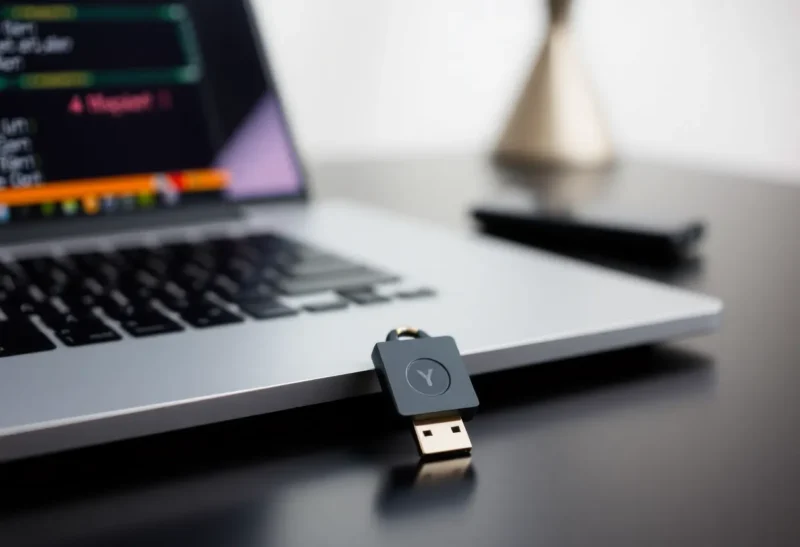
Passwords are a losing game. They get phished, leaked, and reused. Two-factor authentication helps—SMS less so, authenticator apps more—but the gold standard for “something you have” is a hardware security key. A small USB or NFC device that you plug in or tap when you sign in. No codes to type, no app to open. Just presence. If you’ve been on the fence, here’s the case for getting one and using it everywhere that matters.
What a Hardware Key Actually Does
A hardware security key is a physical device that holds a private key. When you sign in to a supported service (Google, GitHub, Microsoft, many banks and identity providers), the site sends a challenge; the key signs it and proves you’re in possession. The private key never leaves the device. That means even if someone steals your password—or your phone with an authenticator app—they still can’t sign in without the key. Phishing sites can’t steal what isn’t typed or displayed.
Most keys support the FIDO2/WebAuthn standard. You register the key once per account; from then on, sign-in is “plug in (or tap) and go.” Some keys also do one-time codes as a fallback for services that don’t support WebAuthn yet, but the main benefit is phishing-resistant, passwordless or second-factor auth wherever the site allows it.

Why It Beats an App
Authenticator apps (Google Authenticator, Authy, etc.) are better than SMS. But they live on your phone. If your phone is lost, stolen, or compromised, an attacker with your password might still get in—or you might get locked out when you need to restore the app. With a hardware key, the secret is on a dedicated device. You can keep a backup key in a safe place and use your primary on your keychain or in a drawer. No cloud sync to hack, no app to clone. The key is single-purpose and doesn’t run arbitrary code.
Hardware keys also resist real-time phishing. A fake login page can’t trick the key into signing a challenge for the wrong origin; the key checks the domain. So even if you’re fooled into entering your password on a lookalike site, the key won’t complete the sign-in. That’s the kind of protection that actually stops account takeovers, not just slows them down.
Who Should Bother?
If you have one account that would ruin your life if it were taken—email, bank, work SSO, or a repository with access to production—a hardware key is one of the highest-impact security upgrades you can make. Developers, founders, and anyone with elevated access should treat it as baseline. Same for people in high-risk roles (journalists, activists, finance). For everyone else, it’s still a good idea for at least your primary email and any account that holds money or sensitive data. The cost is low; the payoff is “attackers can’t log in as you even with your password.”
Choosing and Using One
YubiKey is the best-known brand; other FIDO2 keys from Google, Feitian, or Solokey work too. Get one that fits your life: USB-A or USB-C (or both), and NFC if you want to use it with a phone. Buy two—use one daily, store the other somewhere safe as a backup. Register both on critical accounts so you’re not locked out if you lose the first.
Enable the key everywhere you can: Google, GitHub, Microsoft, your password manager, your bank if they support it. Add it as a second factor (or, where available, as a passwordless option). You’ll still need your password in many places, but the key closes the biggest hole: someone else using that password from another device.
The Bottom Line
A hardware security key is cheap insurance. It doesn’t fix bad passwords or leaked databases, but it makes stealing your account much harder. For high-value accounts, it’s a no-brainer. For everyone else, it’s the next step up from an authenticator app—and the one that actually stops phishing. Get one, get a backup, and turn it on everywhere that matters.