Why Passwordless Authentication Is Finally Ready for the Mainstream

Sasha Reid
February 24, 2026
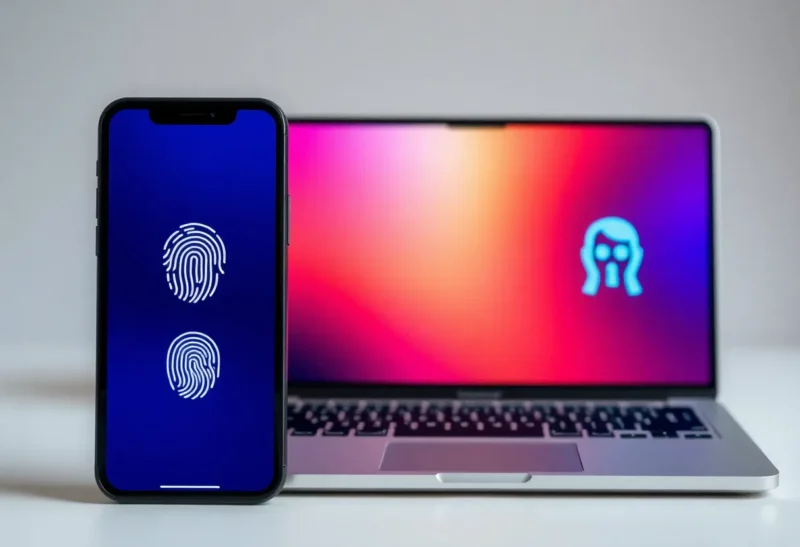
For years, “passwordless” was the future that never quite arrived. We kept hearing that passwords were doomed—and then we kept typing them in. Two-factor authentication helped, but it was still a layer on top of the same brittle foundation. Something had to give. Now it finally is.
Passwordless authentication is having its moment. Apple, Google, and Microsoft have thrown their weight behind passkeys. Major banks and employers are rolling out FIDO2 and WebAuthn. The technology has moved from lab demos to the kind of “Sign in with your face or fingerprint” prompts you see on everyday apps. The question isn’t whether passwordless will go mainstream anymore—it’s how fast, and what to do about it if you’re building products or just trying to stay secure.
What “Passwordless” Actually Means Now
When people say “passwordless” today, they usually mean one of two things: either a magic link or one-time code sent to your email or phone, or true cryptographic sign-in built on standards like WebAuthn and FIDO2. The first is convenient but still relies on a channel (email, SMS) that can be phished or hijacked. The second is the real shift: your device holds a private key that never leaves it, and you prove you’re you with a biometric or PIN. No password is stored or transmitted. No server has a secret that, if leaked, unlocks your account.
Passkeys are the most visible form of this. A passkey is a credential bound to your device (or synced via your Apple/Google/Microsoft account). When you sign in to a supporting site or app, you’re prompted to use your face, fingerprint, or device PIN. Behind the scenes, your device performs a cryptographic challenge-response. The server never sees your biometrics; it only verifies that the right key answered the challenge. That’s why passkeys are resistant to phishing: there’s nothing to type into a fake site, and the key only works with the domain it was created for.

Why Now?
Three things had to align for passwordless to become mainstream: standards, adoption by the big platforms, and real-world proof that it works at scale.
Standards. WebAuthn (from the W3C) and FIDO2 (from the FIDO Alliance) gave the industry a common playbook. Browsers and OSes could implement one set of APIs instead of a dozen proprietary schemes. That made it possible for a single passkey to work across Chrome, Safari, Edge, and mobile—and for developers to add support without betting on one vendor.
Platform adoption. Apple added passkeys to iOS and macOS and made them sync via iCloud Keychain. Google did the same with Chrome and Android and the Google Password Manager. Microsoft integrated them into Windows Hello and Azure AD. When the three giants all support the same mechanism, every major device can do passwordless out of the box. Users don’t need a special key fob or a separate app; it’s just “Sign in with your face” or “Use your fingerprint.”
Proof at scale. Early adopters (from GitHub to PayPal to Shopify) have shown that passkeys can handle millions of users, reduce account takeovers, and cut support tickets for forgotten passwords. The narrative shifted from “someday” to “we’re doing it.”
What Still Holds It Back
Passwordless is ready for the mainstream, but the mainstream isn’t fully ready for it. A few friction points remain.
Cross-device and cross-account. If you create a passkey on your iPhone, signing in on a Windows PC or a friend’s laptop can still be clunky. QR-code-based “sign in on another device” flows exist, but they’re not as smooth as typing a password you’ve memorized (or pasting from a password manager). And if you use both an Apple ID and a Google account, you may end up with multiple passkeys for the same service—which one do you use where?
Legacy systems. Many enterprises and government sites still rely on passwords or SAML/OAuth flows that don’t speak FIDO2. Until those systems are upgraded or replaced, a lot of people will keep a foot in both worlds: passkeys for consumer apps, passwords for work or official portals.
Recovery and inheritance. If you lose your only device or your sole syncing account, recovering access can be harder than with a password reset. The industry is working on account recovery and passkey inheritance, but it’s not uniform yet. Users (and legal/compliance teams) need clear, trustworthy recovery paths.

What to Do Next
If you’re a user, start using passkeys wherever they’re offered—especially for high-value accounts like email, banking, and work. You’ll often get the option when you sign in or in the account security settings. Once you’ve created a passkey, the next sign-in is usually a single tap or glance. If you’re on multiple devices, use the same ecosystem (e.g. iCloud or Google) for syncing so your passkeys follow you.
If you’re a developer or product team, treat passkeys as the default for new auth flows. The WebAuthn API is well supported; major identity providers and libraries make it straightforward to add “Sign in with a passkey” alongside or instead of passwords. Plan for a transition period where both exist, but don’t treat passwordless as an afterthought. Users who try it once often don’t want to go back.
Passwordless authentication isn’t a silver bullet—recovery, UX, and legacy integration will keep evolving. But the combination of standards, platform support, and real-world rollout means it’s no longer a bet. It’s the direction the industry is going. The best time to get on board was a few years ago; the second best time is now.