Mechanical Keyboard Stabilizers: Why Rattle Matters More Than Switch Brand

Yuki Tanaka
April 8, 2026

Spend ten minutes in any keyboard forum and someone will tell you that switches are the soul of a build. That is half true. The other half—the part that decides whether your spacebar sounds like a door hinge or a snare drum—lives under the long keys. Stabilizers (often called “stabs”) keep the spacebar, Enter key, and shifts level when you strike a corner. Ignore them and the best linear switch in the world will still feel cheap.
This piece explains what stabilizers do, why they rattle, how PCB-mount and plate-mount designs differ, and what actually fixes noise without turning your weekend into a chemistry experiment—unless you want that too.
What stabilizers actually stabilize
On a standard MX-style keyboard, short keys (1u) only need a switch at the center. Wider keys need extra support so the keycap does not seesaw. A stabilizer adds dummy sliders or wires linked to the main stem so the cap travels evenly. When the mechanism is loose, tolerances stack wrong, or lubrication is absent, you hear rattle—metal on plastic, plastic on PCB, or stem slap against housing.
Rattle is not “bad QC” in a single component; it is a system problem: plate flex, stem length, keycap thickness, and even how hard you bottom out.
Anatomy in human terms
Picture a seesaw with springs: the stabilizer housing anchors to the plate or PCB, a wire links left and right sliders, and the keycap stem rides in the middle. If the wire is slightly bent, one side arrives early; your ear hears a tick on the off-beat. If the housing is twisted relative to the switch, the stem scrapes sideways. Fixing stabilizers is less about “premium plastic” and more about alignment and damping—engineering patience, not mysticism.
Plate flex and why your “same stab” sounds different on two boards
A softer plate absorbs vibration differently than a stiff aluminum top mount. Gasket mounts decouple noise paths; tray cases focus it. That is why reviewers insist stabilizer reviews mention the board context. Copying someone’s lube recipe without matching plate and foam strategy is like borrowing a recipe but changing every ingredient—sometimes delicious, often weird.
Cherry-style vs optical vs other ecosystems
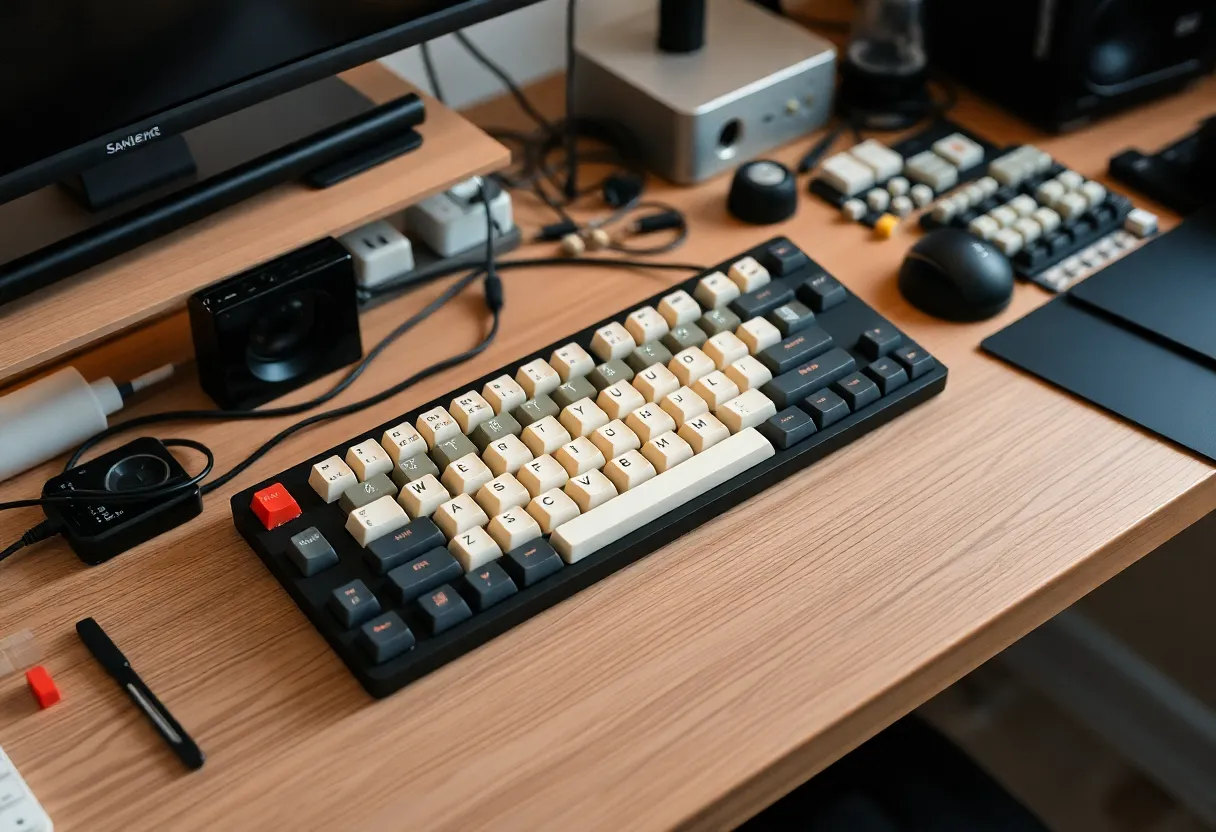
Most custom boards use Cherry-style stabilizers with a bar that clips or screws into the plate or PCB. Optical and low-profile boards sometimes use proprietary stabilizers; always check compatibility before you buy a premium set. Mixing standards is a fast path to stripped mounts and regret.
If you are shopping for your first upgrade, confirm whether your board wants plate-mounted or screw-in PCB stabilizers. Screw-in designs resist popping out when you pull heavy keycaps—worth the small premium on flexier plates.
Why people chase “thock” but ignore stabs first
Social clips reward switch swaps because they film well on camera. Stabilizer tuning is fiddly: remove keycaps, access housings, maybe disassemble clips. The payoff is disproportionate. A mediocre switch with tuned stabs often sounds more “finished” than an exotic switch with rattly long keys.

The practical tuning ladder
- Reseat and inspect. Make sure housings are fully clipped or screwed, wires are straight, and no stems bind in the travel path.
- Band-aid or pad the PCB contact points where stabilizer feet slap—thin adhesive foam can kill high-frequency tick without mush.
- Lubricate selectively. Dielectric grease or thicker lube on wire ends reduces metal tick; thinner lube on stems can smooth travel. Avoid flooding—excess migrates into switches.
- Balance wire bend carefully. Tweaking is real but easy to overdo; small bends beat heroic torque.
- Upgrade keycaps last. Warped or overly tight spacebars amplify problems that tuning partially solved.
When to replace instead of tune
If housings are cracked, threads stripped, or wires kinked, replacement parts are cheaper than hours of triage. Keep a spare set if you swap boards often—stabilizers travel between builds more happily than desoldered switches.
Sound tests: trust your hands, not only your ears online
Recorded demos compress dynamics; room noise and mic placement lie. Use online clips for ballpark timbre, then validate with a typing test on your desk mat and plate. Two identical stabilizer sets can sound different on brass versus polycarbonate plates.
Accessibility and heavy hands
If you type with high force due to habit or motor patterns, stabilizers take more abuse. A slightly heavier long spring in the spacebar switch can reduce accidental edge strikes; combined with tuning, that reduces the perception of rattle even when physics is noisy.
Bottom line
Switches get the glory; stabilizers do the quiet work of making wide keys feel intentional. Before you chase the next group buy, make sure your spacebar is not undermining the whole build. In mechanical keyboards, balance beats brand—literally.