LoRaWAN for Home Sensors: When Wi-Fi Is Overkill and Mesh Gets Noisy

Lin Nakamura
April 8, 2026
If you have ever stood in your hallway watching a Zigbee bulb refuse to pair, or watched your 2.4 GHz Wi-Fi crawl because too many cheap IoT widgets are shouting at the router, you already know the problem: home wireless is a crowded party, and not every sensor needs a front-row seat. LoRaWAN is a different kind of network—long range, very low data rate, and built for battery-powered endpoints that might only speak a few times an hour. It is not a replacement for your Wi-Fi or your smart-home mesh. It is an escape hatch when those technologies are the wrong tool.
This article is a practical tour: what LoRaWAN is, when it beats Wi-Fi and consumer mesh for sensors, what it costs in complexity, and where it still falls short for normal households.
What LoRaWAN actually is (in one breath)
LoRaWAN is a wide-area networking protocol that rides on LoRa radio—a chirp spread-spectrum physical layer designed for sensitivity at long range and miserly power use. A typical deployment has three pieces:
- End devices — battery-powered sensors or actuators with a LoRa radio.
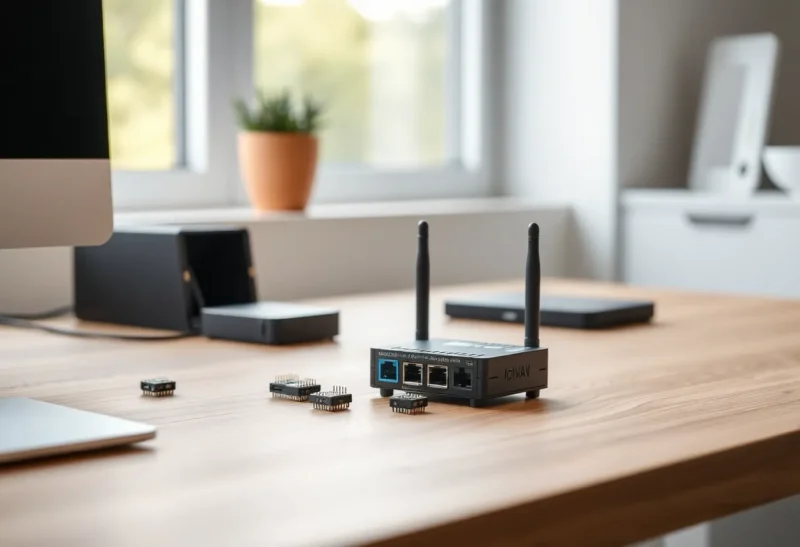
- Gateways — bridges that receive LoRa packets and forward them to a server over IP (Ethernet, Wi-Fi, or cellular).
- A network server — software that deduplicates packets from multiple gateways, handles security keys, and routes payloads to your application.
Unlike Wi-Fi, LoRaWAN is not trying to carry video or web pages. A temperature reading, a door-open event, or a soil moisture sample fits comfortably. That constraint is the feature: the airtime is short, the duty cycles are regulated in many regions, and devices can sleep for long stretches.
When Wi-Fi is the wrong hammer
Wi-Fi excels at throughput inside a building. It is also hungry. A sensor that wakes often, maintains association, and renews DHCP is a bad citizen if it runs on a coin cell. Even with aggressive power-save modes, Wi-Fi tends to assume “always available when needed,” which is overkill for a leak detector under a sink that might report twice a year until it matters.
Wi-Fi also centralizes failure: your access point, channel selection, and neighbor interference become everyone’s problem. In dense apartments, 2.4 GHz can look fine on a spec sheet and behave badly in practice—exactly the environment where you might want a sensor network that does not compete for the same slices of spectrum in the same way.
When mesh (Zigbee, Thread, Z-Wave) gets noisy
Consumer mesh protocols are brilliant for lights, locks, and buttons inside the home. They are designed for low latency compared with LoRaWAN and for mesh routing through mains-powered routers. But mesh is still local RF in your walls, and it still has limits: interference, router placement, firmware quirks, and the eternal question of whether your coordinator is having a bad day.
In multi-dwelling buildings, you share air with neighbors’ networks. Metal studs, foil-backed insulation, and mirrored glass eat signal. You can spend weekends tuning channels and watching routing tables—or you can admit that some workloads are better as a star topology back to a gateway you control, especially for sensors at the property edge: a gate, a mailbox, a detached shed, a garden bed.
LoRaWAN’s star-of-stars model—many devices to one or more gateways—avoids intra-home mesh drama for those endpoints. You trade mesh healing for simplicity: if a device can hit a gateway with enough link margin, it works. If not, you move the gateway or add another.

Where LoRaWAN shines for home projects
- Long-range, low-duty telemetry — soil moisture, weather stations, rain gauges, tank levels, mailbox sensors.
- Perimeter and outbuilding coverage — gates, sheds, and garages where mesh would require repeaters you do not want to maintain.
- Battery life measured in years — if your application truly needs infrequent uplinks and can tolerate seconds-to-minutes of latency.
- Isolation from your Wi-Fi drama — a separate physical layer means your leak sensor is not negotiating with the same AP your video call uses.
The costs nobody glosses over
Gateways. You need at least one gateway with good antenna placement—often higher, near a window, with clear line of sight toward the areas you care about. Indoor gateways work; outdoor enclosures help for yards.
Network server and integrations. You can use public networks (where available) or run your own stack (open-source network servers exist). Either way, you are responsible for mapping payloads into Home Assistant, MQTT, or whatever orchestrates your home. This is not a single-tap “Works with Alexa” experience unless you build the bridge.
Latency and downlinks. LoRaWAN is optimized for small uplinks. Downlinks and confirmed packets consume airtime budget; actuation is possible but not instant. Do not plan to replace Zigbee for sub-second light switches.
Regulatory duty cycles. In Europe, sub-band duty-cycle limits are real; in other regions, rules differ. Planning “one packet per second forever” is not how LoRaWAN is meant to be used.
Choosing between public and private LoRaWAN
Community networks (where coverage exists) can be magical: buy a compliant device, join the network, and skip owning a gateway. Coverage is patchy—urban cores may look good; suburbs may not. Check maps and local groups before betting your project on it.
Private LoRaWAN means you own the gateway and keys. You control security posture and uptime. For serious home automation, private is often the sane default if you already run a homelab.
How this fits next to Matter, MQTT, and Home Assistant
Nothing about LoRaWAN removes the need for a sensible automation core. In practice, people pair a gateway with Home Assistant via an integration, or forward MQTT topics from a network server into Mosquitto. The LoRaWAN piece is upstream transport; your scenes, alerts, and dashboards still live where they always did. That separation is healthy: you can swap Wi-Fi cameras or Thread bulbs without replanting garden sensors.
What changes is your mental model of freshness. A motion sensor in the hallway might need sub-second response; a compost bin temperature probe does not. Tagging devices by latency budget keeps you from forcing LoRaWAN into jobs that belong on Thread—or vice versa.
Gateway placement: more important than the brand sticker
LoRaWAN gateways are not Wi-Fi access points, but some placement rules rhyme: height helps, metal boxes hurt, and local noise matters. A gateway tucked behind a TV may “work” on the bench and disappoint in the yard. If you are serious about perimeter coverage, plan for an outdoor-rated enclosure or at least an antenna pigtail through a window frame. Small gains in antenna position often beat swapping firmware.
Also remember redundancy: two gateways with overlapping coverage improve packet capture in odd corners and give you resilience when one power brick fails. You do not need enterprise clustering; you need enough margin that a cold night does not drop your last link to the mailbox.
A concrete split: what to put where
One reasonable pattern for a mixed home: keep lights, locks, and human-interface devices on Thread or Zigbee where latency and local mesh healing pay off. Push long-range, low-rate telemetry to LoRaWAN—weather, gates, distant pumps. Keep cameras and NVR traffic on Ethernet or solid Wi-Fi. The goal is not purity; it is reducing correlated failure. When the Wi-Fi is saturated, your tank level should still arrive.
Security in plain terms
LoRaWAN uses AES-based session keys derived from root keys provisioned at manufacturing or onboarding. The practical takeaway: buy devices from vendors who document key provisioning, prefer join procedures you understand (OTAA vs ABP), and treat your network server like part of your security boundary—because it is.
Also rotate and back up keys with the same discipline you use for VPN credentials. A gateway on your LAN is a bridge; if its management interface is wide open, you have inverted the security story LoRaWAN tells at the radio layer.
So should you actually use it?
If your problem is “my indoor lights won’t stay on the mesh,” LoRaWAN is probably not your first fix—fix placement, interference, or platform choice first. If your problem is “I need a few reliable, boring telemetry points at the edge of my property without dragging Ethernet or rebuilding RF conditions inside the house,” LoRaWAN is worth a serious look.
Think of it as specialty transport: not better than Wi-Fi or Thread overall, but better aligned with the physics of long range and tiny payloads. The headline is not “LoRaWAN wins.” It is “match the radio to the job—and stop asking every device to shout over the same crowded Wi-Fi party.”