Bluetooth LE Audio in 2026: What the Spec Promises vs What Your Headphones Deliver

Chris Walsh
April 8, 2026
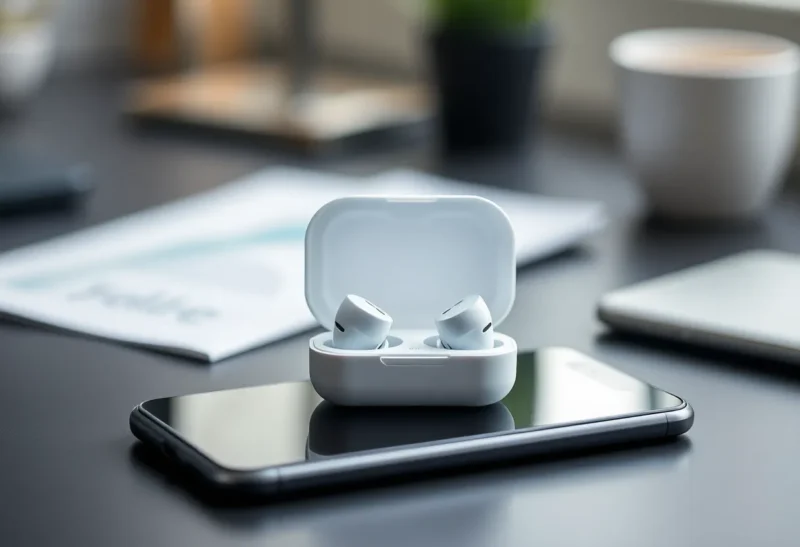
Bluetooth LE Audio is one of those standards that sounds like a clean upgrade on paper: lower latency, better battery life, smarter sharing of radio time, and a modern codec designed for low-energy links. In stores, it shows up as logos on phone boxes and fine print on earbud packaging. In your pocket, the experience still depends on firmware maturity, operating system support, and whether the feature you cared about—broadcast audio, true multi-point, or simply stable voice calls—made it past the marketing bullet list. Here is what the spec actually enables in 2026, and what still gets lost between the press release and your ears.
If you are shopping or troubleshooting, treat LE Audio like Wi-Fi 6E: the standard defines the menu; restaurants still vary wildly in the kitchen.
What LE Audio changes at the foundation
Classic Bluetooth audio leaned on BR/EDR radio for many headsets, while Low Energy was mostly for sensors and keyboards. LE Audio builds audio over Bluetooth Low Energy as a first-class citizen using a refreshed stack: LC3 (Low Complexity Communication Codec) as the default audio codec, Isochronous Channels for time-sensitive streams, and profiles like LE Audio Unicast for standard listening and calls.
LC3 is the headline codec swap. Compared with the older SBC baseline many people tolerated for years, LC3 aims for better perceptual quality at lower bitrates—helpful for earbuds with tiny batteries and aggressive DSP budgets. Whether you hear that improvement depends on implementation quality, fit in your ears, and the acoustic tuning the vendor actually shipped.
Isochronous channels matter because audio is time-sensitive. Jitter and rebuffering show up as clicks, comb-filter weirdness, or lip-sync pain long before your bitrate meter complains. LE Audio tries to align delivery so left and right buds—and multiple listeners in broadcast—share a coherent timeline. When it works, you stop thinking about it; when it fails, you reach for wired headphones in a hurry.
Unicast: what most buyers actually use
For everyday headphones, LE Audio’s unicast story is “one phone to one headset” (or two buds as a coordinated pair). If both sides implement the stack well, you can get more predictable microphone behavior for calls, potentially lower end-to-end delay for video, and improved power behavior when idle.
Reality check: codecs and radios do not fix bad microphones or wind noise. If your voice still sounds thin on cellular uplink, LE Audio is not a miracle—cell networks and carrier processing still dominate perceived quality.
Also remember codec negotiation is a handshake. Your phone and headset agree on a path; if either side is conservative—or if a legacy profile is still in the mix—you might not get the shiniest mode until updates land. “Supported” on a spec sheet is not the same as “enabled by default in firmware build 42.”
Hearing aids, accessibility, and why LE Audio matters beyond music
LE Audio was designed with assistive devices in mind: better audio for hearing aids and PSAP-class hardware, more flexible routing between phones and ear-level processors, and eventual broadcast reception in venues that invest in transmitters. For many users, this is the moral center of the standard—music reviews are fun, but intelligible speech in noisy rooms changes days.
If you evaluate hearing-tech products, ask about latency to your own voice, telecoil compatibility where relevant, and how firmware updates arrive. Radio improvements do not replace audiology; they widen the design space for good fittings.
Parents coordinating assistive tech for kids should loop in audiologists early—LE Audio expands options, but comfort, retention, and school-day durability still dominate day-to-day success.
Multistream and Auracast: powerful ideas, uneven rollout
LE Audio introduces ideas like broadcasting audio to many listeners—think airport gates, gyms, or silent-disco-style shared streams—under the umbrella people often call Auracast in consumer messaging. Conceptually, it is compelling: scan for a public audio beacon, tap in, listen with your own buds.
Infrastructure adoption moves slower than handset announcements. Venues need transmitters, configuration discipline, and user education. Travelers should pack patience alongside their charging case.
Multistream features also aim to simplify scenarios where one phone drives multiple sinks—think sharing audio across two sets of buds without daisy-chaining hacks. Implementation quality varies; some products still fake it with software mixing that reintroduces delay.
Platform support: Android, iOS, and the accessory long tail
Phones in premium tiers picked up LE Audio features first; midrange devices followed as chipsets integrated support. The accessory market, however, fragments: two earbuds might both say “LE Audio” yet differ on which optional features—multipoint, broadcast reception, gaming low-latency modes—actually shipped.
Before upgrading, verify the pairing you care about: source device + headset + use case. A spec logo on one component does not guarantee the entire chain implements the slice you need.
Operating systems surface features on different timelines. Android’s openness means more variance across OEM skins; iOS updates can gate behaviors tightly. Neither side is “wrong,” but cross-platform households should expect mismatched feature parity until the dust settles—especially for broadcast discovery UIs and multipoint policies.
LC3 vs the codecs you already know
Many premium headsets still advertise AAC, aptX variants, or vendor-specific modes on classic links. LC3’s promise is efficiency on LE links—not a guarantee that every earbud abandons older codecs overnight. In practice, you might see hybrid stacks: LE Audio for certain paths, classic profiles for legacy pairing or laptop compatibility.
Listening tests are subjective, but the engineering story is about power and robustness as much as audiophile adjectives. If your buds already sound great on a mature AAC implementation, LE Audio might improve connection stability in busy spectrum more than it revolutionizes timbre.
Wi-Fi, microwave ovens, and the 2.4 GHz pile-up
Most consumer Bluetooth audio still lives in crowded spectrum. LE Audio’s efficiency helps, but it cannot repeal physics. Dense apartment Wi-Fi, poorly shielded USB 3 ports, and microwave ovens remain villains in the mystery of “why it cut out right there.” Positioning your body between phone and antenna still attenuates signal; rotating a laptop can change error rates.
For desk workers, a cheap USB Bluetooth dongle on a short extension cable often beats the internal laptop radio buried beside SSDs and heat pipes.
Gaming and video chat: latency still has many parents
LE Audio can shrink radio-side delay, but total latency includes app buffering, OS mixer policy, display scanout, and display processing on TVs. Competitive gamers still care about wired headsets or proprietary dongles with tuned profiles; casual viewers mostly care whether lips match dialogue.
If you stream to a television over Wi-Fi while audio routes to buds, you have two wireless hops—do not blame LC3 for the whole stack.
What to test in the first week
Keep notes on firmware versions during testing. Two otherwise identical SKUs on different manufacturing batches occasionally diverge after updates—especially with third-party transducers sharing a brand name.
- Call handoff: switch between music and phone calls without rebooting Bluetooth.
- Latency: record a clap test with video—do lips match sound acceptably?
- Range and interference: walk through a crowded office or stand near Wi-Fi routers.
- Battery: compare vendor claims to a real day with your volume habits.
- Firmware: apply updates before judging; launch-month bugs are common.
- Comfort seal: re-seat tips—bass and ANC performance depend on fit.
Troubleshooting without superstition
When audio stutters, people reboot everything. That sometimes works because it clears bad state in stacks. More methodical steps: toggle the problematic codec mode, forget and re-pair, check for OS updates, disable Wi-Fi temporarily to test interference, and try another app to see if one player buffers aggressively.
If only one bud drops, suspect antenna asymmetry or case charging contacts before assuming the sky is falling. Clean contacts gently; avoid metal dust in the case.
Enterprise and office realities
IT departments care about different things than consumers: predictable support matrices, mass enrollment where applicable, and whether headsets play nicely with softphone apps that wrap old audio APIs. LE Audio’s benefits can be muted if the conferencing stack resamples audio aggressively or pins you to a narrow device list. Pilot a few headsets with real call flows before standardizing on a fleet purchase.
Security-minded orgs also track Bluetooth vulnerabilities over time; keep firmware cadence as part of patch policy, not just laptops and phones.
Bottom line
LE Audio is real engineering, not lipstick on SBC. LC3, isochronous channels, and broadcast models move the platform forward—but your experience still lives or dies on execution. Read reviews that measure latency and microphone quality, not just packaging icons, and remember: the spec promises possibility; firmware delivers reality.
Buy for the behaviors you can verify today—call quality in wind, multipoint that survives your laptop—and treat roadmap features as dessert. Standards move markets slowly; your ears live in the present firmware.
If nothing else sticks, remember the three-layer truth: radio (how clean the air is), software (how mature the stack is), and acoustics (how well the hardware fits your ears). LE Audio improves the middle layer’s possibilities; you still have to supply the other two.