Supernote vs Kindle Scribe in 2026: Note-Taking Without the Ecosystem Tax

James Webb
April 7, 2026
The Kindle Scribe arrived with Amazon’s gravitational pull: books, subscriptions, whisper-thin margins on hardware. Supernote built its name on restraint—fewer storefronts, more emphasis on handwriting feel and export sanity. In 2026 the hardware gap narrowed enough that the decision is less about screen chemistry alone and more about which tax you refuse to pay: Amazon’s ecosystem levy or a smaller vendor’s pace and price.
This comparison is for people who primarily want to think on a page, not for readers who occasionally doodle. We cover writing latency, software philosophy, file workflows, and where each device still frustrates power users.
What “ecosystem tax” means in practice
Amazon’s tax is convenience bundled with nudges: store integration, Send-to-Kindle pipelines, and feature roadmaps that favour book buyers. Supernote’s tax is narrower hardware refresh cycles, smaller third-party accessory markets, and sometimes slower feature drops—traded for a product that behaves more like a tool than a storefront with a stylus slot.
Writing feel and latency
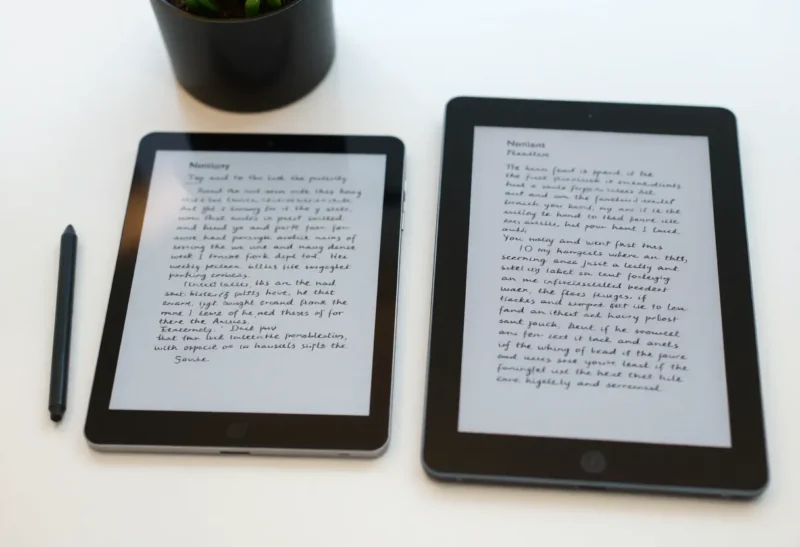
Both families iterate panel and pen tech yearly. Subjective pen feel still dominates reviews because grip texture, nib friction, and software stroke prediction differ. Try real handwriting samples if possible—what feels “fast” to a student may feel “slippery” to an illustrator. Replaceable nibs and third-party pens matter more on Supernote historically; Kindle’s path is more controlled but improving.

Reading versus annotating
Kindle Scribe still wins sheer book friction—purchasing, syncing highlights, and library scale. Supernote handles documents and PDFs well for many workflows, but if your life is Kindle Unlimited and magazine subs, fighting the river is silly. Conversely, if your inputs are academic PDFs, meeting notes, and exports to Obsidian, Supernote’s workflows can be cleaner than routing everything through Amazon’s cloud.
Export and ownership
Ask where your ink lives in ten years. Supernote tends to attract users who want straightforward export paths and folder metaphors closer to disk thinking. Kindle notes historically wanted to stay in Kindleland—improvements arrive, but verify current export options before you commit a semester of lectures. Paranoia is rational when courses depend on archival formats.
Software velocity and bugs
Large vendors patch fast but prioritise mass-market features. Niche vendors listen closely to forums yet may ship regressions that linger. Read the last two months of release notes before buying; e-ink software moves faster than stereotypes suggest.
Templates, layers, and power-user affordances
Supernote historically courts users who want custom PDF planners, layered markup, and granular control over page structure. Kindle’s notebook features have expanded, but the soul of the OS still tilts toward reading-first. If your workflow is “import a textbook, mark it up, export highlights,” both can work—if it is “design a reusable meeting template family,” test the vendor’s actual UI, not marketing screenshots.
Hardware sizes and carry reality
Lineups differ by inch count and aspect ratio. Writers who split screen PDF + notes need width; readers who journal vertically may prefer taller canvases. Weight and bezel shape determine whether the device leaves the house. Spec compare charts miss bag ergonomics—measure your sling.
Accessories and repairability
Cases, folios, and pen holsters are easier to find for Amazon-scale SKUs. Supernote users often buy boutique leather or 3D-printed solutions. Screen protection philosophies differ—some brands encourage film; others warn about texture trade-offs. Budget for the full kit, not only the tablet.
Who should lean Kindle Scribe
- Heavy ebook buyers who annotate chapters more than blank pages
- Households already deep in Prime logistics and household account sharing
- Users who value predictable retail support and return windows
Who should lean Supernote
- Note-first workflows with structured exports to other tools
- Readers allergic to storefront surfaces on a thinking device
- People who tweak templates, layers, and file trees obsessively
Cloud sync, OCR, and the privacy ledger
Handwriting search, cloud backup, and OCR features imply data leaves the device—sometimes encrypted, sometimes not in ways casual users parse. Read privacy policies when your notes include client names or health details. Air-gapped workflows still exist (export via cable, avoid auto-sync), but they fight the default onboarding flow. Decide your ledger before you ink sensitive pages.
Subscriptions and hidden recurring costs
Hardware is a one-time hit; cloud features may not be. Kindle reading subscriptions are obvious; notetaking tiers less so. Supernote may bundle or charge for advanced services over time—verify at purchase. Total cost of ownership belongs in any serious comparison, not just MSRP.
Third path: wait or buy used
Last-year panels at discount can beat launch pricing for first-gen quirks. If neither philosophy fits, competitors like reMarkable or Onyx fill adjacent niches—each with their own tax structure. The market in 2026 is mature enough that “default to Kindle because it is famous” underserves serious notetakers.
Conclusion
Supernote versus Kindle Scribe is not a spec sheet knockout—it is a values choice. Amazon trades frictionless reading and mass-market polish for ongoing ecosystem gravity. Supernote trades scale for a calmer, note-centric experience that may fit knowledge workers better and shoppers worse. Pick the tax you can afford, then buy the pen you will actually carry.