E-Ink Latency: Why Note-Taking Still Feels Behind Glass Tablets

James Webb
April 7, 2026
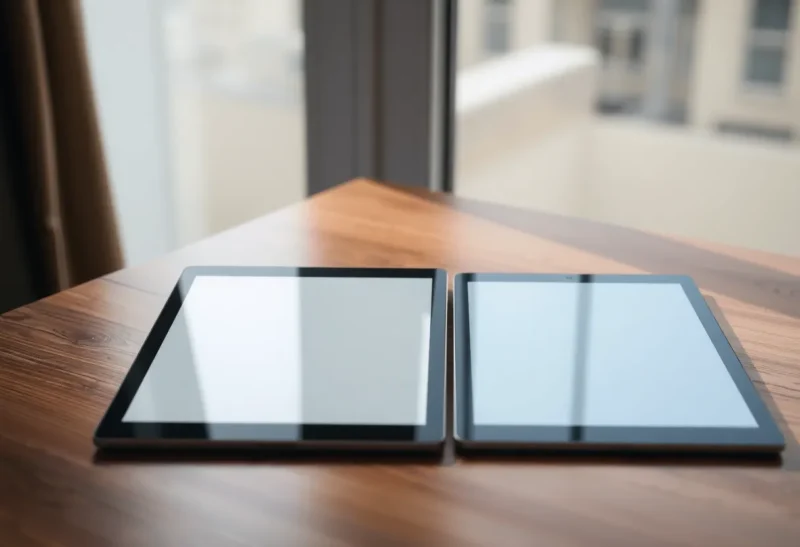
If you have ever switched between an e-ink tablet and a glass tablet with a stylus, you have felt the mismatch immediately. It is not just brightness or color. It is the way the line appears under the pen—how “present” the ink feels, how quickly the screen can keep up when you scribble fast, and how often the display does a little visual dance to clean itself up after you.
E-ink has gotten remarkably good. Modern devices are faster than the Kindles many of us grew up with, and some models are credible daily drivers for reading and light annotation. But for handwriting-heavy work—lectures, brainstorming, markup that moves at the speed of thought—many people still describe e-ink as almost there. That “almost” is not a personality flaw in the user. It is mostly physics, controller engineering, and the difference between a display built for paper-like calm and a display built for milliseconds.
This article is about latency in the human sense: the feeling that your tool is thinking slightly behind you. It is also about why marketing numbers rarely capture that feeling—and why e-ink can still win anyway.
What people actually mean by “latency” on e-ink
Latency sounds like one number, but note-takers experience a bundle of effects:
- Pen-to-ink delay: the gap between contact and a stable stroke.
- Refresh artifacts: ghosting, partial updates, flashing regions as the controller decides how aggressively to clean the screen.
- Interaction pacing: how the device behaves when you pan, zoom, erase, lasso, or switch tools quickly.
- Responsiveness under load: indexing, sync, handwriting recognition, or large notebooks can steal headroom from the drawing pipeline.

Glass tablets with high refresh rates and mature stylus stacks (Apple Pencil, premium Android pens, etc.) are optimized around a simple goal: make the digital surface behave like a low-latency window into software. E-ink is optimized around a different goal: reflect ambient light like paper and sip power like a wall calendar. Those goals are not morally opposed, but they do compete for engineering budget.
Why e-ink is inherently slower to “finish” a frame
At a high level, e-ink changes appearance by moving pigment capsules. That process can be tuned for speed or for contrast and cleanliness, but the tuning is a trade-off curve. Aggressive partial refresh can feel fast while you write, then punish you with ghosting. A full refresh clears the screen beautifully, then interrupts your flow with a blink you would never accept on an iPad.
Manufacturers have gotten clever: regional updates, waveform tuning, handwriting modes that cheat the usual book-reading refresh schedule. The result is that some devices feel shockingly close to glass—for some tasks. The edge cases remain: fast diagonal strokes, high-contrast UI chrome, PDF backgrounds with fine patterns, erasing large areas, and anything that forces the controller to choose between “fast” and “clean.”
Meanwhile, a modern LCD/OLED tablet is pushing 120Hz (or more) with predictive stylus smoothing. Even when the absolute input delay is not zero, the brain interprets the motion as continuous because the visual system gets a steady stream of updates that match hand movement.
The spec sheet problem: why Hz and “response time” mislead
Shopping for tablets teaches bad mental models. A glass tablet’s refresh rate is easy to quote. E-ink “speed” is harder because the meaningful metric is not a single global number—it is how the device behaves in handwriting mode under your preferred pen pressure, brush, and background.
Two practical lessons fall out of that:
- Demo the actual workflow. If you live in one notebook app, test that app. PDF markup and vector ink are not the same stress as typing or reading.
- Trust your hand, not the slogan. Marketing loves “feels like paper.” Your wrist knows whether the line arrives early or late.
Prediction, smoothing, and the “cheating” glass tablets get away with
One reason glass feels unfairly fast is that stylus stacks do not always show you the literal sensor truth. They predict where the pen is going, interpolate curves, and sometimes render a “leading” stroke that the OS corrects milliseconds later. Done well, this is invisible. Done poorly, it feels swimmy. But the existence of the technique matters: glass tablets are allowed to spend compute budget on making motion look continuous.
E-ink devices increasingly do similar tricks—local prediction, tuned waveforms, handwriting modes that prioritize pen regions—but they are operating closer to hard limits. When the display cannot instantly repaint, software smoothing has less raw material to work with. That is why two devices with similar advertised pen features can feel different in the hand: the whole pipeline matters, not the pen alone. The 2026 feel comparison I trust for that is Paper Pro versus Nomad.
Software stacks matter as much as the panel
Notebook apps are not neutral. Vector engines differ in how they batch strokes, how they handle palm rejection under stress, and how aggressively they rasterize backgrounds. A PDF with a scanned page texture can force more screen churn than a blank notebook page. A dense slide deck with gradients can nudge the controller toward heavier refreshes.
If you are comparing devices, try to hold the app constant. Switching apps at the same time as switching hardware is a recipe for false conclusions. Likewise, firmware updates sometimes change handwriting feel more than marketing refreshes admit—especially when manufacturers tune ghosting versus speed for the current generation panel.
Real-world scenarios where latency shows up first
Certain habits expose lag quickly: tiny lettering, fast cross-hatching, rapid underlining, switching pen highlighter colors in a lecture, or writing while the page is slowly scrolling. If your workflow includes any of those, you will feel e-ink’s compromises earlier than someone who writes large, pauses between lines, and mostly annotates static pages.
Students and meeting note-takers often sit in the middle—bursts of speed followed by listening gaps. That pattern can make e-ink feel “fine until it isn’t,” which is a frustrating subjective report but an accurate one. Glass tends to forgive bursts because the display pipeline is built for constant motion.
Why glass wins for certain kinds of thinking
Glass tablets still dominate when the work is dynamic: rapid UI manipulation, split-screen multitasking, color-coded diagrams, video, and anything where you want the screen to be a bright, fluid canvas. They are also the default choice when you need the least friction between “idea” and “software,” because the ecosystem is built around immediacy.
If your note-taking is really a thin layer on top of heavy apps—CAD-ish tools, rich image editing, browser-heavy research—e-ink may not be stubbornly worse on paper, but it can be worse in practice simply because the surrounding software expects a fast display.
Why e-ink still wins for other kinds of thinking
The same latency trade that hurts “speed sketching” can help “deep reading.” E-ink’s reflective surface reduces eye fatigue for many people in bright environments. The device can feel less like a glowing attention magnet and more like a quiet object on the desk. For long sessions with text, that calm is not a minor perk—it changes how often you reach for distractions.
Battery life and outdoor visibility are the obvious wins, but the psychological win matters too: some people simply think differently when the screen does not look like social media hardware. If your bottleneck is focus rather than frames per second, e-ink’s weaknesses become less central.
Accessibility and comfort: beyond the benchmark charts
Latency is not the only sensory variable. Some people get migraines from PWM dimming on certain glass panels; others struggle with glossy reflections in offices with aggressive overhead lighting. E-ink is not automatically “healthy,” but its reflective behavior can be easier to tolerate for long reading blocks. If your goal is sustainable daily use, it is worth noticing whether your fatigue is eye strain, neck strain from posture, or the subtle stress of writing slightly out of sync with the display. Those diagnoses lead to different fixes—matte screen protector, different app, different device class entirely.
How to choose without pretending the technologies are interchangeable
A sane decision rule in 2026:
- Pick glass if your note-taking is tightly coupled to fast UI, color, multimedia, or apps that assume a conventional tablet.
- Pick e-ink if your primary output is reading plus handwriting, you want daylight readability, and you can tolerate occasional refresh compromises.
- Consider both if you can: many serious readers keep a glass tablet for “computer work” and an e-ink device for paper-like sessions.
Hybrid setups are not a failure of commitment; they are an acknowledgment that displays are tools with different strengths.
The honest takeaway
E-ink note-taking has improved enough that the debate is no longer “is it usable?” It is “does it disappear while I write?” Glass tablets still have the physics advantage for immediacy. E-ink has the physics advantage for paper-like calm and endurance.
If note-taking on e-ink still feels behind a glass tablet for you, that is not because you are picky. It is because you are sensitive to timing—and timing is exactly where these technologies diverge. Choose the mismatch you can live with: the glow, or the ghost.
And if you are happy on e-ink, that is not nostalgia—it is a legitimate match between your workflow and what the hardware is optimized to reward.