Smart Home on a Budget: Zigbee Coordinator Picks That Don’t Bottleneck Your Mesh

Ryan Collier
April 7, 2026
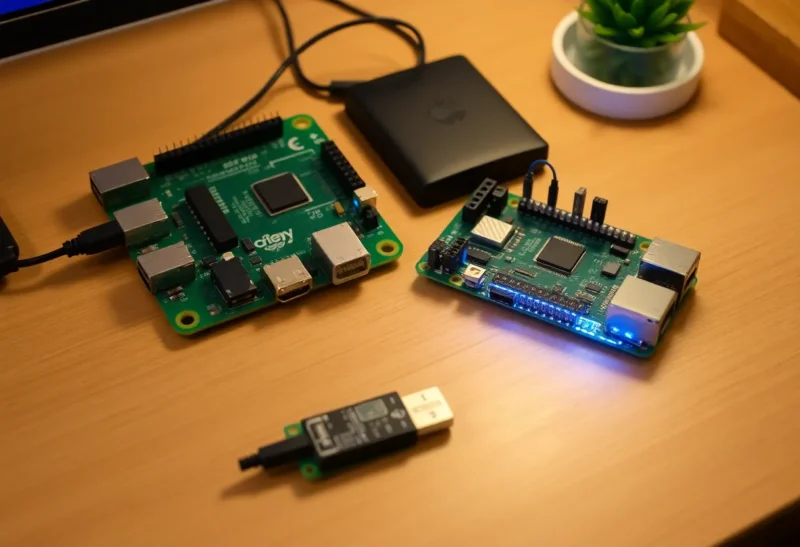
Zigbee is the quiet workhorse of affordable smart homes: bulbs, sensors, and switches that mesh together without chewing your Wi-Fi for breakfast. But every Zigbee network has a choke point—the coordinator radio that owns the network formation, routing tables, and the sometimes fragile relationship between your hub software and the physical USB stick sticking out of a server closet. Pick the wrong coordinator—or plug it into the wrong port—and you will blame “cheap sensors” when the real culprit is RF noise and an underpowered chip drowning in routing chatter.
This guide is for builders who want reliability on a budget: what actually matters in a coordinator, which affordable hardware tends to age well, and how placement and firmware choices keep your mesh from tripping over itself as you add more devices.
What the coordinator really does
The coordinator is not “just a dongle.” It is the trust anchor of your Zigbee network. It starts the PAN, assigns keys, and participates in routing decisions alongside routers (mains-powered devices like smart plugs and hardwired switches). End devices—battery-powered motion sensors and door contacts—talk through those routers. If the coordinator is weak, busy, or sitting in an RF hellscape next to a USB 3.0 hub, the whole mesh can look flaky even when individual gadgets are fine.
Budget builds often reuse an old Raspberry Pi or a mini PC running Home Assistant. That is a perfectly valid path, but it means you are the integrator. The coordinator must play nicely with Linux USB stacks, survive reboots, and leave headroom for dozens—or hundreds—of neighbor entries as your house accumulates automations.
Radio generation: why chip choice matters more than case color
Modern coordinators commonly use Texas Instruments CC2652 family radios or Silicon Labs EFR32 variants. Both can be excellent. The practical difference for most readers is firmware maturity, community testing, and how cleanly the stick maps to Zigbee2MQTT or ZHA. Sticks based on older CC2531 hardware still float around in forum posts; avoid them for new installs. They lack the RAM and CPU to comfortably shepherd a growing mesh and will become a silent bottleneck as you add routers.
When shopping, look for explicit chipset documentation from the vendor, not just “Zigbee 3.0 compatible.” Zigbee 3.0 describes the stack profile; your experience still depends on how much flash and RAM the adapter exposes to the coordinator firmware.
Budget picks that do not sabotage future you
Sonoff Zigbee 3.0 USB Dongle Plus (Texas Instruments CC2652P-based variants) routinely appears in Home Assistant tutorials for a reason: widely available, well-documented, and easy to flash with coordinator firmware builds the community actually tests. Prices bounce with sales, but it remains one of the most cost-effective on-ramps. Use a short USB extension cable to move it away from noisy ports—this is not optional trivia; it is free performance.
SLZB series adapters from SMLIGHT cost more than bare dongles but bundle thoughtful engineering: external antennas, Ethernet PoE options in higher models, and cases that dissipate heat. If you can stretch the budget slightly, an MG24-based or multi-protocol stick may future-proof Thread/Matter experiments. For strict Zigbee-only budgets, their CC2652P-based USB models still punch above typical consumer hubs.
ConBee II / RaspBee remains relevant, especially if you like deCONZ or want a GPIO HAT on a Pi. Community momentum tilts toward Zigbee2MQTT and ZHA for many new users, but deCONZ is stable if you already live in that ecosystem. Treat ConBee as a deliberate software choice, not an accident of whatever tutorial you found first.
ZHA versus Zigbee2MQTT: pick and commit early
Both stacks can be rock solid. The honest fork is Zigbee2MQTT versus ZHA. Zigbee2MQTT often shines when you want a device-centric UI, broad device quirk handling, and a community that rapidly adds new hardware. ZHA integrates tightly into Home Assistant Core and can feel simpler if you want everything inside one app’s philosophy. Switching later is possible but annoying—you will touch every device pairing.
Whatever you pick, update regularly. Coordinator firmware and stack releases fix obscure routing bugs that manifest as “random” dropouts when you add your twentieth router.
USB placement and interference: the boring stuff that saves hours
USB 3.0 ports and unshielded cables spew broadband noise that wrecks 2.4 GHz radios. A two-meter extension moves the coordinator away from your server and often yields an instant improvement in link quality metrics. Elevate the stick’s antenna: higher and more central beats hidden behind a metal PC case.
If you run Wi-Fi on 2.4 GHz aggressively wide, expect coexistence challenges. Prefer 5 GHz or 6 GHz for APs near the coordinator, lower 2.4 GHz transmit power where you can, and pick Zigbee channels that do not sit directly under your Wi-Fi primary channel. Automated channel scans in your stack help, but physical separation still wins arguments with physics.
Pairing discipline: avoid ghost devices and mystery routes
Inexpensive setups go wrong when pairing is treated like Bluetooth trial-and-error. Factory-reset devices before joining, pair close to the coordinator first, then walk them to their final location so they choose sane parent routers. Avoid spamming re-pairing; each attempt can leave stale routes until the mesh reconverges. If a sensor “works on the desk but dies in the hallway,” that is almost always parenting and RF, not a defective LED bulb sale.
Label devices in your software the moment they join. Future you will not remember which “LUMI motion” is the garage versus the pantry. Good naming pays off the first time you filter logs during a firmware update.
Mixing vendors without drama
Aqara, IKEA Tradfri, Sonoff, Innr, and countless Tuya white-label boxes can coexist on one open coordinator if you respect roles: enough mains-powered routers, minimal ultra-low-power end devices trying to span long hops, and firmware that includes the quirks for your exact model. When a device misbehaves, search the issue tracker for your stack before swapping hardware—often it is a missing converter or an OTA image problem, not Zigbee itself “being flaky.”
Security and backups: boring insurance
Zigbee 3.0’s baseline security is solid when you do not punch holes in it with ancient link keys or debug bridges. Keep your home automation OS patched. Export backups of your coordinator configuration and your automation logic. If a stick dies, you should know whether you must re-pair everything or can restore a network backup—depends on stack and firmware. Read that paragraph in the docs now, not during an outage.
When a cheap hub is false economy
Closed ecosystems sometimes bundle coordinators inside proprietary bridges. They can be fine for small apartments. The moment you want local control, complex automations, or mixed-vendor hardware, you will fight translation layers. A transparent USB coordinator under open-source stacks costs money once; vendor lock-in taxes you on every future device choice.
Reading the mesh: LQI, RSSI, and when to panic
Link quality indicators are not golf scores—higher is generally better, but context matters. A sensor with middling numbers that responds in milliseconds is fine; one with pretty graphs that misses motion is not. Watch trends after you move furniture, add a microwave, or relocate Wi-Fi gear. Sudden cluster degradation often traces to a single new noise source rather than “Zigbee dying.”
When troubleshooting, change one variable at a time: move the coordinator on its extension, add a router halfway to the weak zone, then revisit channel choices. Swapping three things at once makes heroes of coincidences.
Ethernet-attached coordinators: worth the cable
PoE Ethernet Zigbee bridges move the radio away from servers entirely and can simplify installs where the Pi lives in a basement but the house’s center of gravity is upstairs. They cost more than USB sticks, yet remain cheaper than many proprietary hubs long-term. If you already run a structured closet, budgeting an extra drop for a dedicated coordinator location can outperform buying “premium” sensors to punch through bad RF.
Scaling signals: when to upgrade deliberately
If your network exceeds roughly a few dozen routers—or you add chatty energy monitors—watch for increased route rediscoveries and slower OTA updates. That is your cue to ensure routers are well-distributed, not clustered in one room, and to consider a coordinator with a cleaner RF path or an external antenna. Sometimes the fix is architectural: add a mains-powered router in a dead hallway instead of swapping silicon.
Practical shopping checklist
- Prefer CC2652P-class or modern EFR32 coordinators for new builds.
- Budget for a quality USB 2.0 extension cable even if you “have extras.”
- Flash to a mainstream coordinator firmware build with community support.
- Pick ZHA or Zigbee2MQTT and keep it updated.
- Plan router placement before you buy more battery sensors.
Power and SD cards on Pi-class hosts
If your coordinator rides on a Raspberry Pi, use a decent power supply and aim for SSD boot or high-endurance storage. Voltage sag and corrupt SD cards create ghosts that look like Zigbee instability—random stick resets, incomplete writes, and databases that need rebuilding. Spending a few dollars on power integrity beats chasing phantom routing bugs.
Closing thought
Budget smart homes fail in the coordinator before they fail in the light bulb. Spend the modest difference on a well-supported radio, treat USB noise as a first-class problem, and let your mesh breathe. Your future self—debugging automations at midnight—will notice the difference long before your wallet does.