The Real Cost of Running Your Own Email Server in 2026

Greg Foster
March 15, 2026
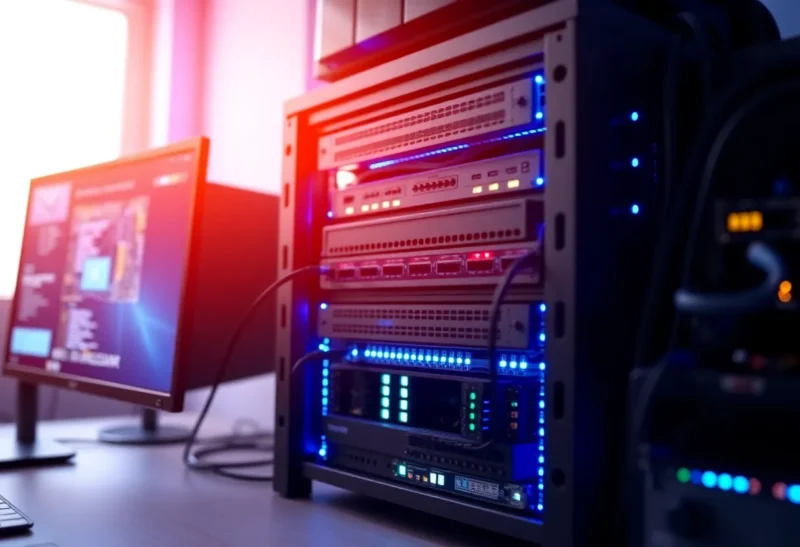
Running your own email server has a certain appeal: no big tech reading your mail, no arbitrary storage limits, and the satisfaction of owning the stack. In 2026, the tools are better than ever—Mail-in-a-Box, Mailcow, and plain Postfix guides are everywhere. But the real cost of self-hosting email isn’t the software. It’s time, risk, and the hidden bills that add up once you’re responsible for deliverability, security, and uptime.
Why People Still Self-Host Email
Privacy and control are the usual drivers. You don’t want Google or Microsoft parsing every message for ads or training data. You want to keep a backup you control, use your own domain forever, and avoid lock-in. For small teams or solo operators, self-hosted email can also feel like a natural extension of a homelab or “own your infrastructure” mindset. The problem is that email is one of the few services where “running it yourself” puts you at a structural disadvantage.
Major providers have dedicated teams for abuse handling, reputation management, and compliance. Your one-person setup doesn’t. That doesn’t make self-hosting wrong—but it does make the real cost worth spelling out.
Self-hosting also appeals to anyone who’s been burned by provider changes: sudden storage caps, discontinued features, or account lockouts with no real support. Owning the server means you decide when to upgrade, how long to keep mail, and what software runs. That autonomy is real. The catch is that email is a federated system. Your decisions affect how other networks treat your messages—and they don’t owe you inbox placement.
The Hard Costs: Time and Money
Initial setup. A minimal but correct setup—domain, DNS (SPF, DKIM, DMARC), a VPS or home connection with a static IP, and the mail stack itself—takes a weekend if you’re experienced and a week or more if you’re not. You’ll touch certificate management, firewall rules, and at least one of: Postfix, Dovecot, and a webmail or IMAP client. Documentation is good in 2026, but it’s still easy to misconfigure one piece and spend hours debugging bounces or “why is my mail in spam?”
Ongoing time. You become the person who handles every deliverability issue, every “your server is on a blocklist” notice, and every certificate renewal. If you use a dynamic IP at home, you’ll deal with ISP changes and possibly relay services. Even on a small VPS, plan for a few hours per month in maintenance and incident response. That’s not nothing when you could be building something else.
Infrastructure. A cheap VPS ($5–10/month) can run a low-volume server, but you need a stable IP and often a reverse DNS (PTR) record that matches your hostname. Many residential and some cheap VPS IPs are already tainted in reputation databases; getting off blocklists is tedious. If you host at home, power and connectivity outages become your problem—and your correspondents will see bounces and delays.
Backup and storage. Mailboxes grow. A few years of attachments and threads can push you into tens of gigabytes. You’ll need a backup strategy—whether that’s rsync to another box, a cloud bucket, or offline copies—and a plan for retention. Unlike Gmail, nobody is automatically archiving and indexing your mail for search; you’ll rely on your MUA or a local search tool. Factor in storage cost and the time to set up and test restores.
Deliverability: The Invisible Tax
This is where the real cost bites. Gmail, Outlook, and Yahoo don’t publish a rulebook. They use reputation signals: IP history, authentication (SPF, DKIM, DMARC), engagement, and abuse reports. A new IP or domain starts with no reputation. One mistaken forward, one compromised account, or one angry “mark as spam” from a recipient can tank your deliverability for weeks.
You can do everything right—strict DMARC, clean content, no open relays—and still land in spam because you’re “unknown.” Big providers have warm-up procedures and dedicated IPs; you’re on your own. For personal or low-volume use, many people get by. For anything that looks like “sending to many people” or “transactional,” you’re in a different game. A lot of solo self-hosters end up relaying outbound through a service like Mailgun or SendGrid for important mail anyway, which adds cost and complexity and partly defeats the “I run it all” goal.
Warm-up is a real phase. New IPs and domains are treated with suspicion. Sending a burst of mail from day one can get you flagged. Best practice is to start with a small, consistent volume to known addresses (your own accounts at big providers) and ramp up over weeks. That’s manageable for a personal server but painful if you need to send to a list or run a small business from the same box.
Security and Compliance
Your server is a high-value target. Phishing and credential stuffing campaigns love small mail servers because they’re often less hardened than Gmail. You need to keep the stack updated, enforce strong authentication (MFA where possible), lock down admin interfaces, and monitor for abuse. One compromise can turn your box into a spam cannon; next thing you know your IP is blacklisted and you’re explaining to contacts why your mail didn’t arrive.
If you ever handle other people’s data or business mail, compliance (GDPR, retention, access logs) becomes your responsibility. “We don’t log” might feel principled until you need to answer “who had access to what and when?”
Spam and abuse handling land on you too. If your server is used to send phishing or malware—because a password was weak or a script was exploited—you’ll be the one getting abuse reports and dealing with blocklists. Proactive measures: fail2ban or similar for SMTP, strong passwords or passkeys, and keeping every component patched. One slip can take your domain or IP off the “trusted” list for a long time.
Alternatives That Preserve Privacy Without Full Self-Host
If the full cost of running your own server feels too high, there are middle grounds. Hosted providers that focus on privacy—such as Proton Mail, Tutanota, or smaller regional hosts—give you your own domain and encryption without running Postfix yourself. You trade some control for someone else handling deliverability and abuse. Another option is to self-host only for receiving (so you keep a long-term address and backups) and use a reputable SMTP relay for sending; that way your outbound mail benefits from the relay’s reputation while you still “own” the mailbox and the data at rest.
When Self-Hosting Email Still Makes Sense
Despite all that, it can still be worth it. You might have a specific threat model (avoiding a particular provider), need custom filtering or integration with your own tools, or simply value the learning and control. The key is to go in with eyes open: budget time for setup and ongoing care, use a solid VPS with a clean IP when possible, and consider hybrid setups (e.g. receive yourself, send via a reputable relay for critical mail) to balance control and deliverability.
Self-hosting shines when you treat it as a deliberate choice rather than the default. Use a well-maintained stack (Mail-in-a-Box, Mailcow, or a documented Postfix/Dovecot setup), subscribe to security announcements, and have a fallback—a backup MX or a secondary address at a big provider—so that when things break at 2 a.m., you’re not completely cut off. Many homelabbers run email for learning and for the satisfaction of “it’s mine”; that’s valid as long as you accept the ongoing responsibility.
The real cost of running your own email server in 2026 isn’t the $5–10 a month. It’s the hours you’ll spend keeping it reliable and out of spam folders, and the risk you carry if something goes wrong. If that trade-off fits your priorities, the tools are there. If not, a focused provider or a privacy-oriented hosted option is often the better investment.