The History of the Computer Mouse—And Why It Still Matters

David Shaw
March 7, 2026
Before the Mouse
For decades after the first computers, input was keyboards and punch cards. Pointing at something on a screen wasn’t a given. The mouse changed that. Invented in the 1960s at Stanford Research Institute by Douglas Engelbart and Bill English, it was a wooden shell with two wheels and a single button. It wasn’t meant for consumers—it was a research tool for Engelbart’s “oN-Line System,” which demonstrated hypertext, video calls, and collaborative editing in 1968. The idea was simple: map hand movement on the desk to a cursor on the screen. That mapping is so natural now we forget it had to be invented.
Xerox, Apple, and the GUI
Xerox PARC took the mouse and paired it with graphical interfaces: windows, icons, and the desktop metaphor. The Xerox Alto and Star used a three-button mouse and made pointing and clicking the way you operated the machine. Apple’s Lisa and then the Macintosh brought that paradigm to a mass market—with one button, to keep things simple. Microsoft and others followed. The mouse went from lab curiosity to the default way we interact with graphical operating systems. Trackballs and other pointing devices existed, but the mouse won.
From Ball to Optical to Wireless
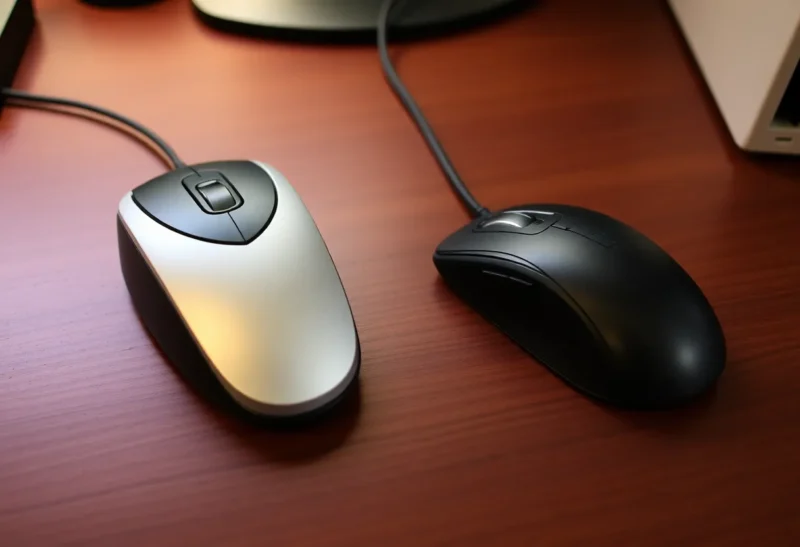
Early mice had a ball that rolled against two wheels to sense motion. They picked up dirt and needed cleaning. Optical mice, which use a light and a sensor to track movement, appeared in the late 1990s and early 2000s and replaced the ball. No more skidding or cleaning. Then came wireless: infrared at first, then radio (often 2.4 GHz or Bluetooth). Batteries and dongles added convenience and clutter. Today we have optical and laser mice, wireless and wired, with anywhere from one to a dozen buttons and scroll wheels. The basic idea—move the hand, move the cursor—hasn’t changed.
Why the Mouse Still Matters
Touchscreens and trackpads took over for phones and many laptops. But for precision—design, spreadsheets, coding, gaming—the mouse is still hard to beat. A trackpad is fine for gestures and casual use; a mouse gives you a stable, comfortable grip and fine control. Ergonomic mice address repetitive strain; gaming mice add sensitivity and extra buttons. The mouse isn’t going away. It’s the tool we reach for when we need to point and click with accuracy and comfort.
DPI, Polling, and the Modern Mouse
Today’s mice are defined by DPI (dots per inch), polling rate, and connectivity. Higher DPI means the cursor moves farther for the same physical movement—useful on high-resolution displays. Polling rate (how often the mouse reports its position) affects responsiveness, especially in games. Wired mice avoid latency and batteries; wireless mice need good radios and power management. None of that existed in Engelbart’s wooden prototype, but the goal is the same: accurate, low-lag pointing. The history of the mouse is a story of refining that one idea.
The Legacy of “Point and Click”
The mouse didn’t just add a peripheral—it defined how we think about graphical interfaces. Click to select, double-click to open, drag to move. Those conventions came from the mouse and spread to trackpads and touch (tap, swipe). The mouse’s history is the history of the GUI. We still use it because it’s still the most precise way to point at a pixel. Its invention was one of the quiet revolutions in computing—and it’s still with us.