Cyber Threats at Home: What’s Already Here and What Most People Miss

Sasha Reid
February 26, 2026
Most people think of home security as locks and alarms. But the devices and networks inside your home—routers, smart speakers, cameras, and the rest of the IoT—are already in attackers’ crosshairs. The threats aren’t theoretical. Default passwords, unpatched firmware, and weak Wi‑Fi are exploited every day. Credential stuffing, phishing, and IoT botnets target ordinary households. You don’t have to be a high-profile target to be at risk; you just have to have the same weak defaults and habits as everyone else. Here’s what’s already here and what most people miss until it’s too late.
Your Router Is the Front Door
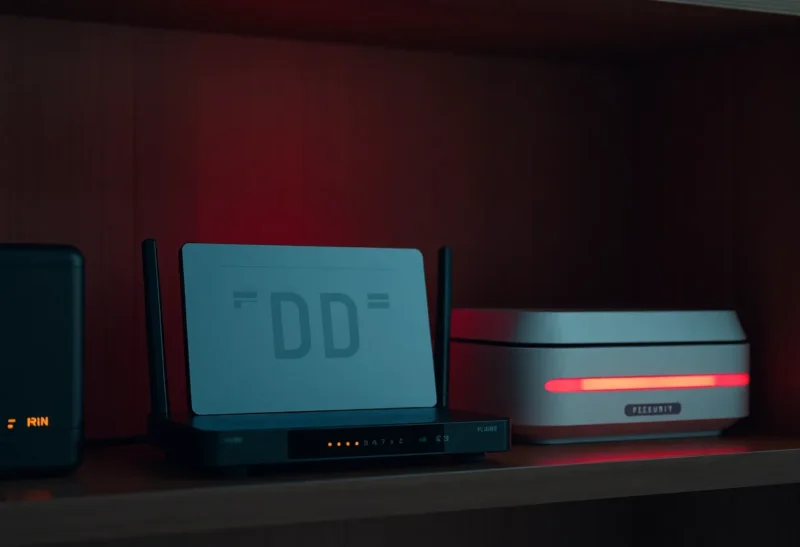
The router is the gateway between your home network and the internet. If it’s weak—default credentials, outdated firmware, or remote management left on—attackers can use it to snoop on traffic, redirect you to phishing sites, or enlist your network in botnets. Many people never change the default admin password or update the firmware. They assume “it works” means “it’s secure.” It doesn’t. Routers are high-value targets because compromising one machine gives access to every device behind it. Check whether your router has a strong admin password, whether firmware updates are available and applied, and whether remote management is disabled if you don’t need it.
Wi‑Fi itself is another vector. Weak or default Wi‑Fi passwords let neighbors or passersby join your network. Once on the LAN, they can probe other devices, try default logins on printers and IoT gear, or just use your connection for abuse. Use WPA3 if your router supports it; otherwise WPA2 with a strong passphrase. Guest networks can isolate visitors from your main devices—use them if you have them.

Smart Devices: Convenience and Risk
Smart speakers, cameras, thermostats, and plugs are convenient. They’re also often under-secured. Default credentials, no automatic updates, and minimal security design make them attractive targets. Compromised cameras can be used for surveillance or to pivot into the rest of your network. Smart speakers and assistants can be abused if someone gains access to the account or the device. IoT botnets—networks of hijacked devices used for DDoS or scanning—rely on exactly these kinds of devices. Attackers scan the internet for open Telnet or SSH, default logins, and known firmware bugs. Once they’re in, they may install malware that persists across reboots or use your device as a stepping stone. What most people miss is that “set it and forget it” doesn’t apply to security. You have to change default passwords, segment IoT devices where possible (e.g. a separate VLAN or guest network), and apply updates when they’re available. If a device can’t be updated or secured, think twice before putting it on your network. The convenience isn’t worth the risk of it becoming part of a botnet or a back door into your home.
Phishing and Account Takeover
Many home “cyber” incidents aren’t about hacking your router—they’re about tricking you. Phishing emails and SMS that look like your bank, your utility, or a delivery company can steal credentials or install malware. Once someone has your email or a key account, they can reset passwords, drain accounts, or use your identity. Credential stuffing—reusing leaked passwords from one breach on other sites—means that reusing the same password across services multiplies your risk. Two-factor authentication (2FA) and passkeys reduce the impact of stolen passwords; they’re the single biggest upgrade most people can make. Being skeptical of links and attachments—and verifying requests through a separate channel (e.g. call the number on your card, don’t use the link in the email)—reduces the chance of falling for a phish. Most people miss how convincing modern phishing is and how much damage a single clicked link can do. The threat is already in your inbox; the defense is verification and better auth.
Ransomware and Backups
Ransomware at home is less common than in organizations but it happens. Malware that encrypts your files and demands payment can arrive via phishing, a malicious download, or a vulnerable device. The only reliable recovery is from backups that aren’t attached to the infected machine—external drive or cloud. Most people miss that backups need to be offline or off-device to survive ransomware; if the backup is always connected, it can get encrypted too. Regular backups to a separate drive (or a cloud service with versioning) are part of home cyber hygiene. If you ever get hit, don’t pay unless you have no other option—paying funds criminals and doesn’t guarantee you get your data back.
What You Can Do Without Going Paranoia-Mode
You don’t have to become a security expert. A few changes go a long way: strong, unique passwords or a password manager; 2FA or passkeys on important accounts; router admin password changed and firmware updated; Wi‑Fi with a strong passphrase; IoT devices on a separate network or guest Wi‑Fi if possible; and a habit of not clicking sketchy links or opening unexpected attachments. Keep software and devices updated. Back up important data to a separate location. What most people miss is that these basics cover the majority of real-world home risk. The rest—advanced hardening, network segmentation, intrusion detection—matters more for high-risk users. For most households, consistency on the basics is enough. The goal isn’t perfect security; it’s closing the gaps that attackers actually exploit.
Bottom Line
Cyber threats at home are already here: weak routers, default credentials on IoT, phishing, and account takeover. Most people miss the basics—router and Wi‑Fi security, device updates, and the human layer of phishing and 2FA. You don’t need to panic; you need to close the obvious gaps. Change defaults, update firmware, strengthen auth, and think before you click. That’s most of the battle.