Custom Android Launchers: When They’re Worth It and When They’re Not

Reed Kim
February 26, 2026
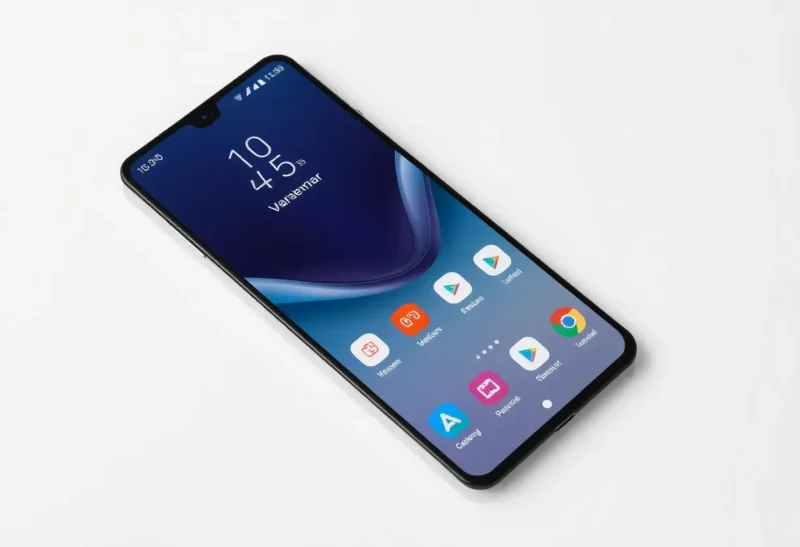
Android’s openness means you can replace the default launcher with something that looks and behaves differently. Custom launchers promise cleaner homescreens, faster access, and a phone that feels “yours.” But they’re not for everyone—and sometimes the stock launcher or a light tweak is enough. Here’s when a custom launcher is worth the setup, and when it’s overkill.
What a Launcher Actually Controls
The launcher is the app that draws your home screen, app drawer, and (often) the app switcher. It decides how icons are arranged, whether you have a dock, what happens when you swipe up or down, and how widgets and folders work. Changing it doesn’t unlock your bootloader or root your phone—it’s just swapping one app for another. Most custom launchers offer more layout options, themes, gesture shortcuts, and sometimes performance tweaks. The tradeoff is consistency: manufacturer launchers are tuned for that device; third-party ones have to work everywhere and can feel slightly less polished or integrated.
When a Custom Launcher Is Worth It
You’ll get real value if you care about layout and efficiency. If you want a minimal home screen with a few key apps and a gesture to open the rest, launchers like Nova, Niagara, or Lawnchair give you that. If you want consistent icon packs, grid size control, or the ability to hide apps you rarely use, a custom launcher delivers. Power users who rely on gestures—swipe up for app drawer, double-tap for flashlight—often find that a third-party launcher offers more configurability than the stock one. If your manufacturer’s launcher is cluttered, slow, or full of stuff you don’t want, replacing it can make the phone feel faster and calmer.
Custom launchers also make sense when you switch phones often or use multiple Android devices. Once you’ve set up your layout and preferences in one launcher, you can often back it up and restore it on another device—so you’re not redoing your home screen from scratch every time.
When It’s Not Worth It
If you’re fine with the default—you open the app drawer, tap an app, and you’re done—a custom launcher may add complexity without much benefit. Some manufacturer launchers are already clean (e.g., Pixel Launcher, or stripped-down skins). If you don’t care about icon packs or grid density, the stock setup may be enough. There’s also a learning curve: new gestures, new settings, and sometimes quirks (e.g., widgets that don’t resize the same way, or minor animation differences). If you’re not the type to tweak, you might end up with a launcher you never really customize, in which case you’ve just swapped one default for another.
Performance can be a mixed bag. Lightweight launchers can feel snappier than heavy manufacturer skins; heavy, feature-packed launchers can sometimes use more RAM or battery. It’s not a given that “custom” means “faster.”
Popular Choices and What They’re Good For
Nova Launcher remains the go-to for maximum customization: gestures, icon packs, backup/restore, and a long track record. Niagara and similar “list-style” launchers are great if you want a minimal, alphabetical app list and a clean home screen. Lawnchair and similar open-source options appeal if you want a Pixel-like look with more control. Before you install, think about what you actually want to change—if it’s just “fewer preinstalled apps on the home screen,” you might get there with the stock launcher’s own settings.
The Bottom Line
Custom Android launchers are worth it when you care about layout, gestures, and a consistent look across devices—and when you’re willing to spend a little time setting them up. They’re not worth it if you’re happy with the default and don’t want to think about it. Try one if you’re curious; you can always switch back. The best launcher is the one you actually use, not the one with the most options.