3D Printing for Beginners: What’s Actually Worth Making in 2026

Jamie Torres
February 24, 2026
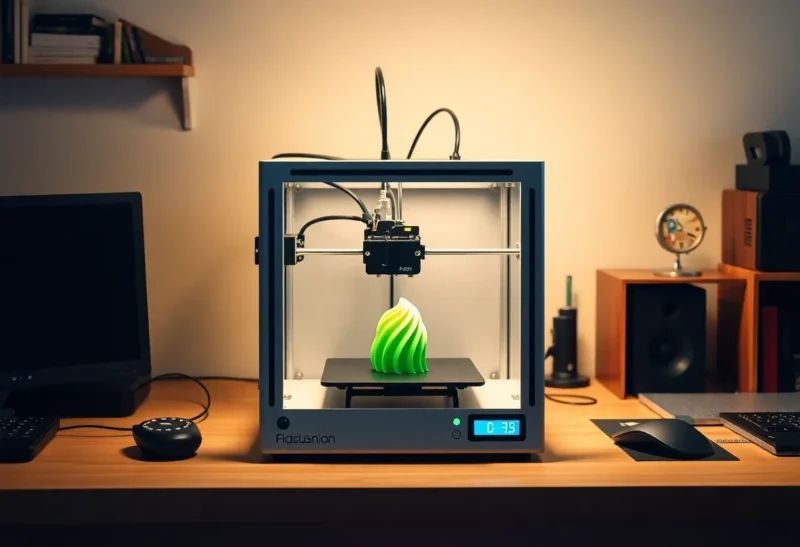
3D printers are cheaper and easier to use than ever. You can get a decent desktop machine for a few hundred dollars and be printing within a day. The hard part isn’t the hardware—it’s figuring out what’s actually worth making. A lot of beginner projects are either trivial (keychain with your name) or frustrating (something that breaks after one use). Here’s what’s genuinely worth your time as a beginner in 2026: practical prints that solve real problems and teach you the ropes without wasting filament.
Start With Fixes and Replacements
The highest-value use of a 3D printer for most people is making replacement parts and fixes. A broken clip on a vacuum, a missing foot on a monitor stand, a custom bracket for a cable—these are small, measurable wins. You’re not “making art”; you’re solving a concrete problem. Sites like Thingiverse, Printables, and Thangs have millions of models; you can often find something that fits your exact need with a quick search. If you can’t, learning basic CAD (Tinkercad is free and beginner-friendly) to modify an existing model or draft a simple part is a skill that pays off fast. Start with something you need this week. Print it, use it, and iterate. That feedback loop is what turns a printer from a novelty into a tool.
Organizers and Desk Tools
Desk organizers, cable holders, drawer dividers, and tool caddies are perennial beginner projects. They’re useful, they don’t need to be pretty to work, and they’re a good way to learn about layer height, infill, and print orientation. Print something that will sit on your desk or in a drawer—a stand for your headphones, a tray for small parts, or a holder for pens and cables. These prints are forgiving: if the finish isn’t perfect, they still function. They also teach you how to size things to fit your space. Measuring twice and modeling once is a real skill. Start with a simple box or bracket; once you’re comfortable, try something with a lid or moving parts.
What to Skip (For Now)
Some categories are best left until you have more experience. Large prints that take many hours are risky for beginners—a failure at hour 18 is demoralizing. Prints that need to be strong or load-bearing (e.g., structural parts for furniture) demand good layer adhesion and sometimes specific materials; start with PLA and non-critical items. Highly detailed miniatures or cosplay pieces look impressive but require tuning and often resin printers. Avoid the trap of “I’ll print whatever’s trending.” Focus on things you’ll actually use. Gadgets and gizmos that sit in a drawer after one use aren’t worth the filament or the time.
Filament and Settings
PLA is the default for beginners: easy to print, low warping, and fine for most indoor and non-structural uses. PETG is a step up when you need something tougher or more heat-resistant—water bottles, parts near heat, or things that might get dropped. Don’t overthink it at first; get a roll of PLA in a color you like and stick with the manufacturer’s recommended temperatures and bed settings. Layer height around 0.2 mm is a good balance of speed and quality for most functional prints. Increase infill (e.g., 20–30%) for parts that need to hold weight; reduce it for decorative or light-duty pieces. As you go, you’ll learn when to tweak speed, temperature, and support settings. Start simple and change one variable at a time.
Choosing a First Printer
In 2026, budget FDM printers in the $200–400 range are capable enough for most beginner projects. Look for something with a heated bed, decent build volume (around 220×220 mm or larger), and an active community so you can find profiles and fix issues. Auto bed leveling saves a lot of frustration. Brand names like Bambu Lab, Creality, and Prusa have strong followings; pick one that has good documentation and a Discord or Reddit where people share settings. Resin printers are great for miniatures and fine detail but add fumes, post-processing, and more complexity—save those for when you know you want that kind of output. For “what’s actually worth making,” an FDM printer and PLA will get you 80% of the way.
When to Learn CAD
You can get a long way by downloading models. But the moment you need something that doesn’t exist—a bracket that fits your specific desk, a replacement part for a product that has no STL—you’ll want to make it yourself. Tinkercad is enough for basic shapes and modifications. Fusion 360 (free for hobbyists) and Onshape (browser-based, free tier) are the next step when you need precise dimensions, assemblies, or more complex geometry. You don’t have to become an engineer; even a few hours of tutorials will let you design simple functional parts. That’s when 3D printing becomes genuinely useful rather than just fun.
Failures Are Part of the Process
Your first prints will sometimes warp, string, or come off the bed. That’s normal. Use the failures to learn: check bed level and first-layer squish, try a different temperature or speed, add supports where things overhang. Calibration prints (e.g., a benchy or a simple cube) help you dial in your machine. Don’t aim for perfection on day one; aim for “it works.” Once you have a few successful useful prints under your belt, you’ll have a much better sense of what’s worth making and what’s not.
What’s Actually Worth Making—Summary
Worth making: replacement parts, organizers, cable management, simple tools, and anything that fixes a real problem in your home or workspace. Skip for now: huge prints, high-strength structural parts, and purely decorative pieces until you’ve got the basics down. In 2026, the barrier to entry is low; the barrier to value is choosing the right projects. Start with one useful print, then another. That’s what’s actually worth making.